Appliance repair service in New York City - Brooklyn
See what happens on a diagnostic visit, how quotes and parts work, why some repairs need multiple visits, and when replacing an appliance makes more sense than repairing it.

Mini Split Not Cooling: Safe Checks Before Service

Mini split not cooling in a NYC apartment? Check mode, setpoint, filter, airflow, ice, and safe outdoor visibility before requesting service review.

Diagnostic fee: $99, credited toward the repair if you move forward
Warranty: 180-day parts and labor warranty on completed repairs
Arrival windows: 9 to 11, 11 to 1, 1 to 3, 3 to 5
Symptom

Mini split runs or turns on but does not cool the room normally

Brand and model notes

Brand behavior varies by controller and model. Use the exact model label and controller photo when the button names or display icons do not match the customer expectation.

Use the exact model label and controller photo when model behavior, filter access, reminder messages, or light patterns may vary.

Before you request service

Use this page when mini split runs or turns on but does not cool the room normally.

This page covers a ductless mini split indoor head that powers on but does not cool normally.

The resident feels warm air, weak cooling, or long run time from a wall or ceiling ductless head and wants to know what can be checked without tools.

Use the checks below to document what is visible, what changed, and what cannot be accessed safely.

Submit the information for review before treating it as an accepted appointment.

What this symptom usually means

A ductless head can run without cooling well when the controller is in the wrong mode, the setpoint is not actually calling for cooling, the filter is loaded, the fan is restricted, the indoor coil is icing, or the outdoor side cannot reject heat.

Dirty filters and restricted airflow are source-supported maintenance issues, but they do not prove the exact repair. They simply make a safe first checkpoint before the request moves into cleaning or diagnostic review.

Visible ice changes the decision. Ice can be connected to airflow, dirt, controls, or refrigerant-side conditions, but a customer should not treat ice as a refrigerant diagnosis.

Outdoor access matters in NYC. The outdoor unit may be on a roof, rear yard, setback, or building-controlled area; a resident can report what is safely visible but should not create access risk.

The best lead is not a guessed part failure. It is a short story: mode, setpoint, fan response, filter condition, visible ice or water, room affected, unit count, and access restrictions.

Details that change the next step

Mode and setpoint change the request first. If the controller was in dry or fan-only mode, the next step is owner correction and monitoring, not a cooling repair request.

Weak airflow from the head after a clean accessible filter points more toward cleaning or airflow review than a guessed refrigerant issue.

Visible ice moves the request out of routine cleaning language because thaw water, airflow restriction, and professional diagnosis boundaries now matter.

One warm room with other heads cooling is different from every head failing; the request should say whether this is one zone or the whole ductless system.

Outdoor equipment that is only reachable through building-controlled access changes the review before any technical diagnosis can be accepted.

First safe checks

  1. Confirm the controller is in cooling mode, not heat, dry, fan-only, or an automatic mode that may not call for cooling.
  2. Set the temperature several degrees below the room temperature and wait long enough to see whether the indoor fan and outdoor side respond.
  3. Check fan speed and louver position from the room side; photograph weak airflow instead of removing covers.
  4. If the filter is accessible without tools and the manual allows owner cleaning, clean or replace only the filter and reinstall it fully dry.
  5. Look for visible ice, water, or unusual blinking on the indoor head and stop cooling if any of those signs appear.
  6. Photograph outdoor blockage only if the outdoor unit is safely visible from a permitted location.

These checks stay visible, reversible, and safe. They do not require opening equipment, testing voltage, handling refrigerant, clearing hidden drains, or guessing failed parts.

If a check cannot be done from normal room-side access, skip it and include that access limit in the request.

When to stop

  • Ice appears on the indoor head, piping area, or air outlet.
  • Water is near outlets, controls, finished walls, or flooring.
  • The unit buzzes, smells hot, trips power, or does not respond normally.
  • The outdoor unit cannot be seen without roof, ladder, locked-space, or unsafe access.
  • The same no-cooling condition returns after mode, setpoint, fan, and filter checks.

Stop checking when the symptom creates property risk, abnormal equipment behavior, or access risk.

The safer next step is to document what happened and send the request for review.

Do not keep collecting clues if the next clue would require removing covers, reaching locked areas, climbing, handling water inside equipment, or repeating power resets.

What not to do

  • Do not ask for refrigerant to be added based only on warm air or ice.
  • Do not remove service covers, louver assemblies, electrical covers, or outdoor panels.
  • Do not cycle electrical protection over and over to force operation.
  • Do not spray cleaners into the indoor head as a cooling test.
  • Do not climb to reach outdoor equipment or ask building staff for unofficial elevated or locked-space entry.

These blocked actions protect the customer, the apartment, and the equipment while preserving the symptom for review.

Photos and details to send

  • Indoor head from straight on with louvers visible.
  • Controller or remote showing mode, setpoint, fan speed, and any icons.
  • Filter condition if the filter is accessible without tools.
  • Any ice, water, stains, blocked louver, or blinking display.
  • Safe outdoor-unit photo only if access is permitted and level.
  • Room note explaining which space is warm and whether other heads work normally.

A useful request shows the symptom, the visible equipment, the controller or setting, the access condition, and the room context.

NYC apartment and building notes

Brooklyn and Manhattan apartments often split responsibility between apartment-side indoor heads and building-controlled outdoor equipment.

COI, superintendent access, freight elevator rules, or management approval may decide whether the request can be reviewed as cleaning or must wait for access coordination.

High-wall heads above furniture or delicate finishes should be reported with height and clearance notes rather than climbed to reach.

If multiple heads share an outdoor system, report whether one room or every room has weak cooling.

Best next request path

If cooling improves after settings and filter work, keep the photos and treat the next step as routine maintenance planning.

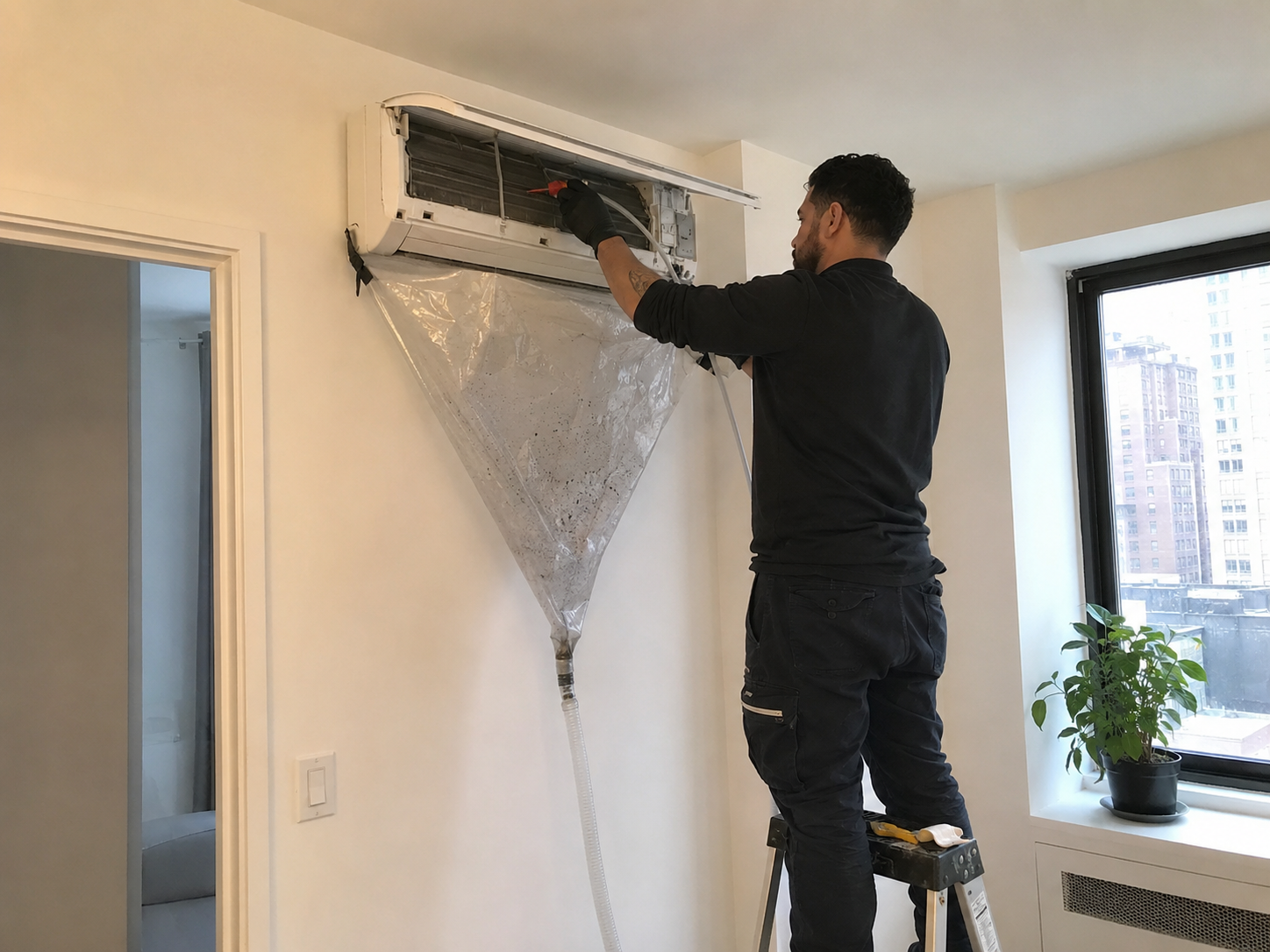
If airflow remains weak and the head is visibly dirty, submit the request for mini split cleaning.

If ice, water, repeated no-cooling, buzzing, or outdoor access limits are present, submit the request for diagnostic review.

Submit the photos first so Volt & Vector can review scope, access, and route capacity before accepting the job.

The likely service handoff is Mini split cleaning, HVAC maintenance, or AC repair, but the final route depends on photos, access, and risk signs.

When submitting, include: Mini split not cooling; include indoor head photos, controller settings, filter photo, ice/water notes, outdoor access notes, unit count, ZIP code, and COI/building requirements.

Brand and model notes

Brand behavior varies by controller and model. Use the exact model label and controller photo when the button names or display icons do not match the customer expectation.

Use the exact model label and controller photo when model behavior, filter access, reminder messages, or light patterns may vary.

How to make the request reviewable

Send a short factual message instead of a guessed diagnosis.

Include the affected room, what changed, what safe checks were completed, and what could not be accessed.

If the condition improved, say what improved. If it stayed the same, returned, or became worse, say when that happened.

Photos are more useful than long explanations when they show the unit, controller, visible condition, and building access issue.

If management, a superintendent, or COI approval is involved, include that in the first request.

Choose the next step

When the safe checks explain the symptom and the unit works normally again, keep the record and plan routine maintenance instead of submitting mini split cleaning, hvac maintenance, or ac repair immediately.

When visible buildup, weak airflow, odor, water, ice, no response, or an alert remains, stop guessing and send the photos for review.

Choose a cleaning request only when the visible evidence supports cleaning; choose diagnostic review when the evidence includes water risk, ice, no response, abnormal noise, or recurring alerts.

Check building access before choosing a route. Locked panels, roof access, shared drains, mechanical rooms, or COI rules can change whether the work can be accepted.

Do not choose a service category from comfort symptoms alone. Use the visible condition, controller state, timing, and safe-check result.

When the next safe check would require tools, covers, live electrical access, refrigerant work, drain work, or unsafe height, stop and send the request as-is.

If the symptom affects one room, one head, one grille, or one cabinet, say that. If every room or unit is affected, say that instead.

If you are unsure, submit the request for review with photos rather than asking for a confirmed visit under the wrong service type.

Sources used

Official sources support the safe checks and stop points above; they are not used to guess a failed part from symptoms alone.

When a manufacturer manual or support source applies, use it to check model-specific owner steps, not to claim brand authorization.

Source-backed boundaries help decide when to stop owner checks and submit the request for review.

DOE and ENERGY STAR support filter, airflow, coil, thermostat, and contractor-boundary language. NYC HPD supports resident complaint intake, filter cleaning, performance issues, and access coordination for split systems.

Reference links: DOE air conditioner maintenance, DOE common air conditioner problems, ENERGY STAR maintenance checklist, and NYC HPD VRF and split system maintenance plan.

NYC apartment and building notes

Brooklyn and Manhattan apartments often split responsibility between apartment-side indoor heads and building-controlled outdoor equipment.

COI, superintendent access, freight elevator rules, or management approval may decide whether the request can be reviewed as cleaning or must wait for access coordination.

High-wall heads above furniture or delicate finishes should be reported with height and clearance notes rather than climbed to reach.

If multiple heads share an outdoor system, report whether one room or every room has weak cooling.

Photos and details to send

  • Indoor head from straight on with louvers visible.
  • Controller or remote showing mode, setpoint, fan speed, and any icons.
  • Filter condition if the filter is accessible without tools.
  • Any ice, water, stains, blocked louver, or blinking display.
  • Safe outdoor-unit photo only if access is permitted and level.
  • Room note explaining which space is warm and whether other heads work normally.

A useful request shows the symptom, the visible equipment, the controller or setting, the access condition, and the room context.

First safe checks

  1. Confirm the controller is in cooling mode, not heat, dry, fan-only, or an automatic mode that may not call for cooling.
  2. Set the temperature several degrees below the room temperature and wait long enough to see whether the indoor fan and outdoor side respond.
  3. Check fan speed and louver position from the room side; photograph weak airflow instead of removing covers.
  4. If the filter is accessible without tools and the manual allows owner cleaning, clean or replace only the filter and reinstall it fully dry.
  5. Look for visible ice, water, or unusual blinking on the indoor head and stop cooling if any of those signs appear.
  6. Photograph outdoor blockage only if the outdoor unit is safely visible from a permitted location.

These checks stay visible, reversible, and safe. They do not require opening equipment, testing voltage, handling refrigerant, clearing hidden drains, or guessing failed parts.

If a check cannot be done from normal room-side access, skip it and include that access limit in the request.

When to stop

  • Ice appears on the indoor head, piping area, or air outlet.
  • Water is near outlets, controls, finished walls, or flooring.
  • The unit buzzes, smells hot, trips power, or does not respond normally.
  • The outdoor unit cannot be seen without roof, ladder, locked-space, or unsafe access.
  • The same no-cooling condition returns after mode, setpoint, fan, and filter checks.

Stop checking when the symptom creates property risk, abnormal equipment behavior, or access risk.

The safer next step is to document what happened and send the request for review.

Do not keep collecting clues if the next clue would require removing covers, reaching locked areas, climbing, handling water inside equipment, or repeating power resets.

What not to do

  • Do not ask for refrigerant to be added based only on warm air or ice.
  • Do not remove service covers, louver assemblies, electrical covers, or outdoor panels.
  • Do not cycle electrical protection over and over to force operation.
  • Do not spray cleaners into the indoor head as a cooling test.
  • Do not climb to reach outdoor equipment or ask building staff for unofficial elevated or locked-space entry.

These blocked actions protect the customer, the apartment, and the equipment while preserving the symptom for review.

Before Scheduling HVAC Service

Check the thermostat mode, set temperature, air filter, breaker, and whether the indoor or outdoor unit is running. Take photos of the thermostat screen, equipment label, leak area, or error code before resetting the system.

Do not keep running the HVAC system if there is a burning smell, repeated breaker tripping, water near electrical parts, or ice on the coil. Those symptoms should be checked before the problem spreads to a larger component.