


.avif)
Common Thermostat Problems
- Blank or rebooting screen: Batteries, control power, wiring, equipment power, or a safety interruption must be separated before replacing the thermostat.
- Heat On or Cool On with no response: The thermostat may be sending a valid request while the HVAC unit, board, or safety prevents operation.
- One mode works and the other does not: Configuration or wiring may be involved, but the affected heating, cooling, or heat-pump equipment also needs a response test.
- Room reading is wrong: Sensor drift, direct sun, a supply register, kitchen heat, drafts, or wall-cavity air can distort the displayed temperature.
- Short cycling or continuous running: The key evidence is whether the thermostat request changes with the cycle or remains steady while the equipment changes state.
- App offline but wall control works: The account, Wi-Fi, cloud service, or mobile app may need support instead of the HVAC control circuit.
Thermostat Repair in NYC
Quick answer: Thermostat service is the right starting point when the display, room reading, settings, schedule, or heating and cooling request is wrong. If the display shows a steady Heat On or Cool On request but the equipment does not respond, the problem may be in the HVAC unit rather than the thermostat.
Safe checks before thermostat service
- Confirm the mode and setpoint: Make sure Heat, Cool, Auto, or Off matches what you want, and check whether a schedule, hold, lock, or away setting is overriding the change.
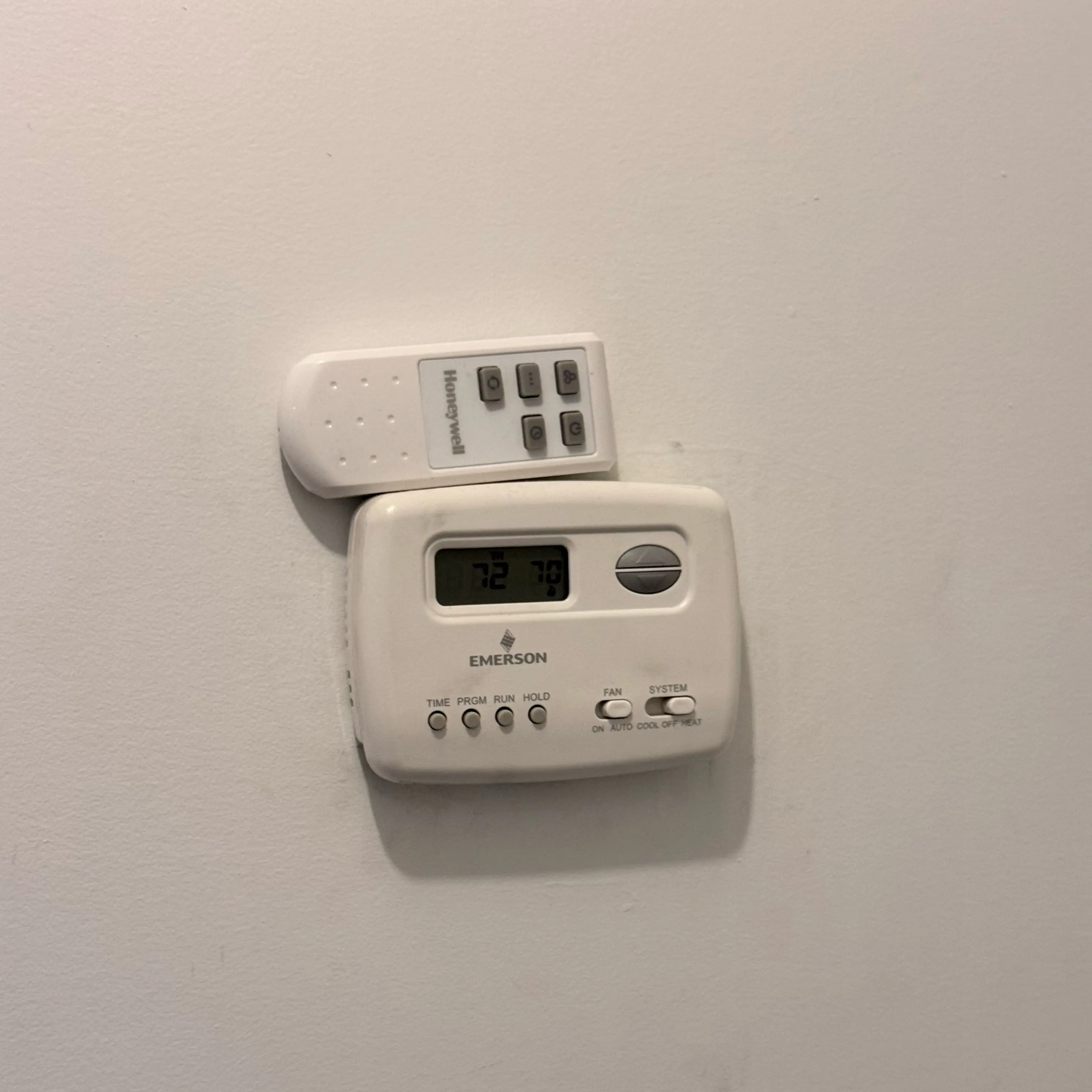
- Read the complete display: Photograph any Wait, Heat On, Cool On, equipment alert, wiring message, or app code. Some models use a short equipment-protection delay, so follow the model's manual before treating a flashing request as a failure.
- Replace only user-serviceable batteries: If the thermostat manual shows a battery compartment, use the specified batteries. Do not remove or rearrange control wires.
- Note the visible power state: Record whether the HVAC breaker or service switch appears off or tripped, but leave electrical testing to the technician.
- Compare local and app control: If the wall thermostat works but the phone app does not, record that difference. The account, Wi-Fi, or app may need support instead of the HVAC control circuit.
Blank, flickering, or rebooting display
A blank screen may be a battery problem, but hardwired thermostats also depend on power from the HVAC equipment. An equipment switch, door safety, transformer, wiring fault, or protective device can remove that power. If the screen went blank after water appeared around the indoor unit, choose condensate drain repair; a high-water safety may have interrupted operation to limit overflow.
Keep the system off if the thermostat is hot, smells burned, shows melted or discolored plastic, or loses power again after the breaker trips.
The thermostat calls, but the equipment does not start
Heat On or Cool On shows what the thermostat is requesting; it does not prove that the furnace, fan coil, air handler, air conditioner, or heat pump completed the request. The technician confirms the signal leaving the thermostat, the signal reaching the equipment, any safety interruption, and the equipment response.
- Cooling request is present: If the thermostat sends the correct cooling request but the cooling equipment stays off or runs without cooling, choose air conditioner repair.
- Heat-pump mode is wrong: Heating in Cool, cooling in Heat, or one missing mode can come from configuration or wiring, but it can also come from the equipment. Choose heat pump repair when the thermostat request is correct.
- Indoor fan never responds: The thermostat can send the correct request while the blower, board, safety, or indoor-unit power prevents operation. Choose air handler repair when the indoor unit does not complete the request.
Wrong temperature reading or uneven control
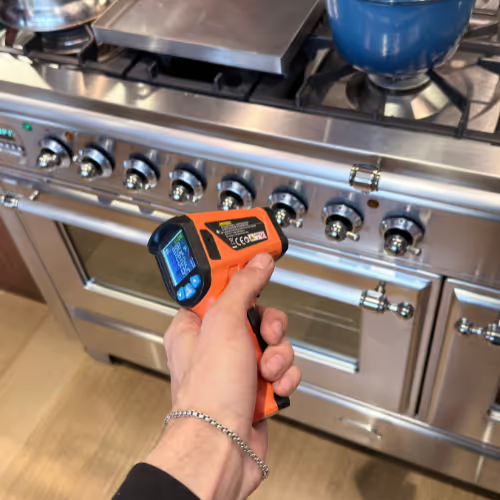
A thermostat can read incorrectly because of sensor drift, direct sun, a nearby supply register, kitchen heat, a draft, or air moving through the wall opening. Compare it with a reliable room thermometer placed nearby but away from the register or window, and record the difference after both have had time to settle. A quick hand-feel comparison is not enough to confirm a calibration problem.
If the thermostat reading is accurate but one room remains uncomfortable, the thermostat may not be the cause. Airflow, zoning, fan-coil operation, equipment capacity, or building conditions need a separate equipment diagnosis.
Short cycling, long running, or changing setpoints
Record whether the thermostat request turns on and off, whether a schedule changes the setpoint, and whether the equipment continues after the request disappears. The timing shows whether the control or the HVAC unit needs the first test.
- Request appears and disappears rapidly: The thermostat, sensor location, control power, wiring, or configuration may be unstable.
- Request stays steady while equipment cycles: An equipment safety, airflow condition, control board, or another unit-side fault is more likely.
- Setpoint changes at a predictable time: Check the schedule, hold, occupancy, demand-response, or building-control settings before treating the thermostat as failed.
- Only the app loses control: Verify that the wall unit still works before replacing an otherwise functional thermostat.
What the technician confirms
- Control identity: Thermostat or wall-controller model, equipment type, stages, and any building or manufacturer control interface.
- Stable power: Whether the thermostat receives the control power required by that exact model and whether a safety or equipment fault interrupts it.
- Accurate sensing: Whether the displayed temperature matches a reference and whether sun, drafts, wall-cavity air, or a nearby supply affects the reading.
- Correct command: Whether the thermostat sends the intended heating, cooling, and fan requests under the correct configuration.
- Equipment response: Whether the request reaches the HVAC unit and which safety, board, relay, valve, blower, or outdoor-unit fault prevents operation if it does not respond.
- Final operation: Confirm local control, applicable schedule behavior, and equipment response after the actual fault is corrected.
NYC apartment and building controls
Many NYC apartments use fan coils, packaged units, heat pumps, or wall controls connected to equipment behind a cabinet or above a ceiling. Some buildings also control seasonal availability or access to shared equipment. Send photos of both the wall control and the indoor unit, note whether other apartments have the same symptom, and ask building management whether heat, cooling, or mechanical-room access is centrally controlled. That information prevents a private thermostat from being blamed for a building-side condition.
What not to do
- Do not jump terminals or move wires to force heating, cooling, or fan operation.
- Do not open a live control board or equipment cabinet for voltage testing.
- Do not keep resetting a breaker after it trips again.
- Do not factory-reset a smart thermostat before saving the displayed code, schedule, and account details.
- Do not install a replacement until equipment type, stages, control voltage, and compatibility are confirmed.
Prepare for thermostat service
Use the screen photo and observations above, then add the thermostat model, HVAC equipment type, the affected mode, and indoor-unit access notes. Mention recent thermostat or building work. For the complete visit process, review NYC HVAC repair, then request a diagnostic visit without guessing whether the first test belongs at the wall control or the equipment.
