Appliance repair service in New York City - Brooklyn

Miele Appliance Repair NYC | Platform & Display Diagnosis

Diagnostic fee: $99, credited toward the repair if you move forward
Warranty: 180-day parts and labor warranty on completed repairs
Arrival windows: 9 to 11, 11 to 1, 1 to 3, 3 to 5
Miele appliance repair in NYC for W1 washers, T1 heat-pump dryers, G-series dishwashers, ovens, steam ovens and cooktops. Start with the data plate.

Need Miele appliance repair in NYC? Start with the complete data plate, the household appliance family and the literal display message. A W1 washer, T1 heat-pump dryer, G-series dishwasher, conventional oven, steam oven and induction cooktop do not share one operating or diagnostic path.

Volt & Vector reviews independent residential Miele service requests in Brooklyn, Manhattan below 96th Street, and selected Queens ZIP codes. Exact address, appliance scope, access, route capacity and timing are confirmed before a visit. Volt & Vector is not affiliated with, endorsed by or authorized by Miele.

Quick Answers

What should I send before requesting Miele appliance repair?

Answer: Send the complete data-plate photo, household product family, exact display message, selected program or mode, last normal stage, symptom timing and wide installation photos.

Why do W1, T1 and G-series matter?

Answer: They identify different household appliance families. A W1 wash or spin problem, T1 heat-pump drying problem and G-series dishwasher cycle problem require different safe checks and diagnostic evidence.

Does F55 identify a failed Miele dryer part?

Answer: No. Miele's F55 guidance describes a supported residual-moisture program reaching its maximum drying time. The program, load, heat, airflow and moisture result still need to be evaluated.

Does a T1 dryer need an outdoor vent checked?

Answer: A current T1 heat-pump dryer recirculates process air and does not use a conventional outdoor exhaust. Identify the exact model before applying vented-dryer advice to an older or different platform.

Is Miele Professional covered by this household page?

Answer: No. If the plate says Miele Professional, Little Giants or ProfiLine, preserve the label and use the manufacturer-controlled Professional route or request separate scope review.

When should I stop using a Miele appliance?

Answer: Stop for smoke, burning odor, visible scorching, gas odor, sparks, repeated breaker trips, active leaking near powered parts, a cracked electric cooking surface or a dishwasher flood-protection message with continuing water.

Miele Repair NYC at a Glance

  • Service type: Independent residential appliance repair; no Miele authorization is implied.
  • Coverage: Brooklyn appliance repair, Manhattan appliance repair below 96th Street, and selected Queens routes confirmed by exact address.
  • Appliances: Household washers, dryers, dishwashers, conventional ovens, steam ovens and cooktops, subject to model and access review.
  • Approach: Identify the platform, preserve the exact message and program state, isolate the failed cycle stage or cooking function, and verify the affected operation after repair.
  • Before dispatch: Share the data plate, sequence, display, safety status and installation access through the booking request.

Choose the Miele Appliance That Matches the Problem

  • W1 household washer: Use Miele washer repair in NYC. Record whether the washer filled, tumbled, drained and began to spin before the behavior changed.
  • T1 or other household dryer: Use Miele dryer repair in NYC. Separate a cold drum from a warm-but-damp load and record the program, elapsed time and exact filter or container message.
  • G-series household dishwasher: Start with dishwasher repair in NYC. Identify whether the failure occurs during fill, wash, drain, drying or AutoOpen.
  • Conventional oven: Use Miele oven repair in NYC. Record the affected cavity and whether heat, preheat, fan, door or control response fails.
  • Steam or combi-steam oven: Use Miele steam-oven repair in NYC. State whether the appliance is plumbed or reservoir-fed and whether the symptom involves steam generation, water handling or conventional heat.
  • Gas or radiant-electric cooktop: Use Miele cooktop repair in NYC. Identify the heat system and exact burner or zone.
  • Confirmed induction cooktop: Use Miele induction-cooktop repair in NYC. Record cookware detection, control state and whether one or every zone is affected.

Miele Symptom-to-Diagnosis Map

The washer stops with water inside or the door remains locked.

What this usually points to: Accessible filter or drain restriction, pump response, hose or standpipe condition, suds, water-level feedback, door-lock state or control sequence.

What we verify: Establish water level and drain sound, trace the safe accessible drain path, confirm pump response and determine whether the cycle can advance.

The washer drains but does not complete spin.

What this usually points to: Load imbalance, remaining water, door-lock feedback, abnormal drum movement, drive response or control state.

What we verify: Separate drain completion from balance and drive behavior, reproduce the spin ramp safely and verify stable operation with an appropriate load.

A TwinDos message appears while washing otherwise works.

What this usually points to: Model-supported dosing state, container or line condition, settings, sensor feedback or a dosing-system fault separate from the core wash path.

What we verify: Confirm that the exact W1 model has TwinDos, preserve the literal message and test dosing separately from fill, tumble, drain and spin.

The T1 drum turns but the load stays cold.

What this usually points to: Program state, heat-pump or heat-production response, temperature sensing, thermal protection, airflow or control output.

What we verify: Confirm the exact dryer platform, observe temperature development and program progression, and use the Miele dryer not-heating guide.

The T1 becomes warm but the load stays damp.

What this usually points to: Load or program mismatch, upstream washer extraction, lint or plinth-filter condition, condensate handling, moisture sensing or heat-pump performance.

What we verify: Record starting wetness, temperature and moisture change over time, inspect model-accessible filters and condensate setup, and use the Miele not-drying-correctly guide.

“Clean out airways” or a filter warning returns after cleaning.

What this usually points to: Incomplete model-specific filter care, restricted lint or plinth-filter path, damaged filter seating, airflow sensing or system performance.

What we verify: Identify the exact T1 arrangement, inspect only owner-accessible filters, preserve how quickly the message returns and use the recurring airway-warning guide.

“Empty out container” appears while the tank is empty.

What this usually points to: Condensate-container state, drain-hose arrangement, kink or restriction, pump response, water-level sensing or control state.

What we verify: Confirm whether the dryer uses the container or a drain hose, inspect the visible arrangement and use the empty-container guide.

The dryer shows F55 and the load is still damp.

What this usually points to: Maximum program duration reached before the required residual-moisture result, with load, airflow, heat, condensate and sensing still open for diagnosis.

What we verify: Preserve the program and elapsed time, check load and starting wetness, evaluate heat and moisture reduction, and use the Miele F55 guide.

The dishwasher leaves water in the cabinet.

What this usually points to: Accessible filter or drain path, hose or sink connection, pump response, water-level feedback or control request.

What we verify: Identify the last completed stage, inspect the safe accessible drain path, test drain response and confirm water clears without leaking.

End or AutoOpen appears but the dishwasher door stays closed.

What this usually points to: Documented program-specific drying delay, AutoOpen setting, obstruction, alignment or door-opening fault.

What we verify: Identify the exact model and program, allow the documented sequence and compare it with Miele's QuickIntenseWash AutoOpen guidance.

The oven controls respond but the cavity does not heat normally.

What this usually points to: Selected mode, supply, heat source, temperature feedback, door state, thermal protection or control output.

What we verify: Observe the heat sequence, compare actual temperature response with the request and distinguish conventional, steam and combi operation.

An induction zone does not detect cookware.

What this usually points to: Cookware compatibility or placement, selected zone, lock or pause state, zone response, supply or power electronics.

What we verify: Confirm cookware and control state, compare zones and test the affected function without treating a display symbol as a parts diagnosis.

The Miele Plate-Message-Sequence Repair Path

  1. Identity evidence: Photograph the whole data plate. Use the Miele plate finder when the safe, normal-access label location is unclear.
  2. Platform evidence: Identify W1, T1, G-series, conventional oven, steam oven, gas/radiant cooktop or induction cooktop. Do not mix household and Professional guidance.
  3. Message evidence: Copy the display character for character, including punctuation, icons and whether it appeared during or after a program.
  4. Sequence evidence: Record the last stage completed normally—fill, wash, drain, spin, heat, dry, condensate removal, bake, steam or zone detection.
  5. Verification evidence: After an approved repair, rerun the affected stage or function under an appropriate load or mode. A cleared message alone is not proof that the original failure is resolved.

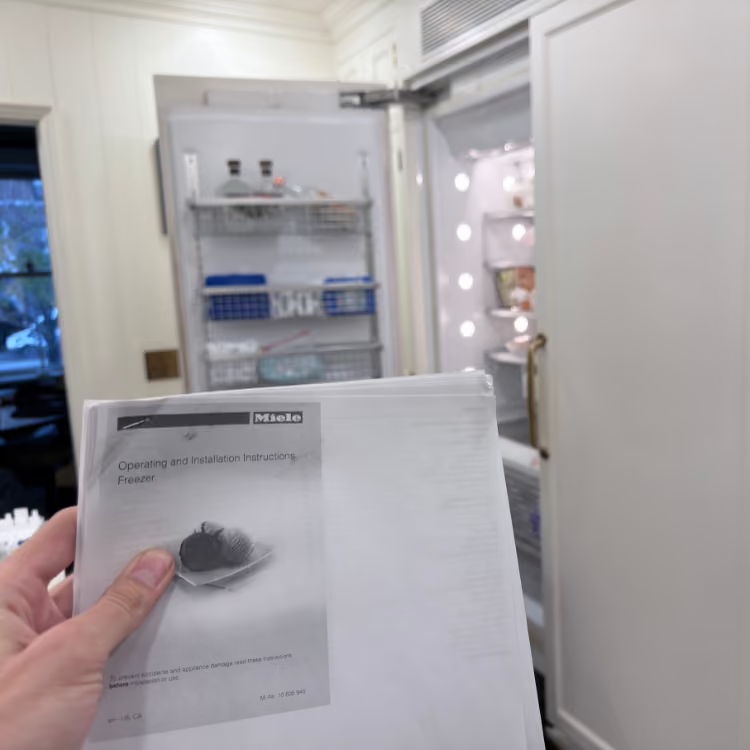
Use the complete product identity to open the matching Miele operating manual before applying model-specific instructions.

How to Read the Display: Fault Code, Status, or Appliance ID?

  • Fault-like format: Miele often labels a fault with F plus digits, but the appliance category remains essential. Dryer F55 concerns a drying-time limit on the documented residual-moisture programs, while dishwasher F78 follows a circulation-pump route; neither meaning should be carried to a different appliance. Compare the exact product with Miele's official F55 support or F78 support.
  • Status or operating message: Clean out airways, Empty out container, Adjust the load, End/AutoOpen, and cooktop LC are different maintenance, program, load-sensing, or lock routes; they are not interchangeable Fxx faults. By contrast, washer Waterproof system activated is plain-language leak protection and requires stopping the water and power path rather than treating it as a harmless status. A dryer display that is off while Start/Add laundry flashes slowly can be normal Standby. Record the complete wording, appliance, and program state before classifying it.
  • Appliance ID: The type, model, and serial data on the Miele plate identify the product. They are not display codes. Use the Miele plate finder and keep household guidance separate from Miele Professional equipment.
  • Service-mode or internal value: A value visible only inside settings, programming, or service menus is not automatically an owner-facing fault. Do not enter undocumented menus or change configuration values to make a code appear.
  • What to photograph: Capture the whole display, every icon, the full data plate, selected program, load type, and the last stage completed normally. For a dryer, include whether the drum was cold, warm, or hot; for a dishwasher, note whether water remained and whether the door-opening sequence had finished.

Miele messages vary by appliance, platform, program, and control generation. Use the exact product identity to open the matching Miele operating manual before following model-specific steps.

Safe Checks Before Requesting Service

  • Confirm the selected program, delay start, control lock, temperature or drying level through normal controls.
  • Record whether a washer filled, tumbled, drained and attempted spin.
  • For a household dryer, record whether the drum is cold, warm or hot and whether the cycle ends or keeps extending.
  • Clean only the filters and plinth-filter surfaces the exact dryer manual identifies as owner-accessible; do not bend heat-exchanger fins.
  • For a dishwasher, inspect the owner-accessible filter and visible obstruction path without forcing the door or removing panels.
  • For induction, try known-compatible flat cookware centered on the affected zone.
  • Photograph the full data plate and the appliance in its installed position.

Mistakes That Can Make the Problem Worse

Treating every Miele Fxx value as the same kind of fault or ordering a part from the number alone.

Why it causes problems: F55 on a dryer and F78 on a dishwasher lead to different appliance-specific checks, and platform variation can change the valid instructions.

Safer next step: Pair the literal code with appliance type, plate, program, load, and failure timing before any repair decision.

Reinstalling dryer lint filters while they are still wet.

Why it causes problems: Miele's F55 guidance warns that wet lint filters can cause operational faults during drying, which can create a new symptom after cleaning.

Safer next step: Follow the exact manual's cleaning method and let owner-washable filters dry completely before reinstalling them.

Treating Clean out airways, Empty out container, a dark standby display, and an F fault as one generic “error code.”

Why it causes problems: These signals lead to different decisions—airflow care, condensate handling, waking the display, or fault diagnosis—and collapsing them hides the real sequence.

Safer next step: Preserve the exact words, icons, and operating stage; follow only the matching Miele support route.

Forcing a dishwasher door because End or AutoOpen appears before the door moves.

Why it causes problems: Program-specific drying behavior and delay must be separated from an obstruction, alignment issue, or opening-system fault; force can damage the door or cabinetry.

Safer next step: Allow the documented sequence, check the exact program and setting, and report a door that still fails to open normally.

Deep-cleaning behind plinths, bending heat-exchanger fins, pulling stacked laundry, or opening a panel to follow an online repair video.

Why it causes problems: Owner-accessible cleaning ends at the surfaces identified by the exact manual; deeper access adds electrical, water, refrigerant, stability, and property risks.

Safer next step: Photograph the installation and visible condition, then arrange platform-specific service.

Where the Homeowner-Safe Limit Ends

  • Homeowner-safe: Use normal controls to check program, delay, lock, temperature, or drying level; record sequence and load; clean only manual-identified filters and plinth-filter surfaces; inspect the owner-accessible dishwasher filter; try compatible cookware; photograph the display and data plate.
  • Technician or utility boundary: Stop at a returning F fault after the documented owner step, standing water, overheating, a leak near powered parts, internal menu access, powered-component measurements, gas connections, a cracked cooking surface, locked mechanisms, heat-exchanger or refrigeration access, or movement of stacked or built-in equipment. Gas odor goes to the utility or emergency-services route from a safe location.

Stop-Use Conditions

  • Smoke, burning odor or visible scorching from a dryer: Stop the cycle and leave the dryer off. After the immediate hazard is controlled, use the Miele dryer burning-smell guide to preserve useful evidence.
  • Gas odor: Leave the area without operating switches, appliances, flames or electronics nearby; call 911 or the serving gas utility from a safe location.
  • Active leaking near powered parts: Keep away from the water and do not move or operate the appliance until the electrical hazard is cleared.
  • Smoke, sparks or active fire: Leave the immediate hazard area and call 911 for an active emergency.
  • Repeated breaker trip or electrical burning odor: Stop use and do not keep resetting the breaker.
  • Cracked electric or induction surface: Stop cooking use and avoid touching or testing the affected surface.

NYC Access Changes the First Diagnostic Step

  • Stacked or closet laundry: Photograph the full stack, side clearance, closet opening, floor, visible hoses and stacking hardware. Volt & Vector provides repair service, not appliance installation.
  • Panel-ready dishwasher: Show the panel, toe-kick, surrounding cabinetry, floor condition, door swing and visible water path before anything is moved.
  • Built-in or steam oven: Identify the exact cavity and show trim, cabinetry, reservoir or visible water connection without removing panels.
  • Cooktop: Identify gas, radiant or induction and photograph the surface and normal-access cabinet area; do not disturb fuel or electrical connections.
  • Managed building: Include service-elevator hours, doorman or superintendent instructions, floor-protection rules and any Certificate of Insurance requirements with the booking request.
  • Route fit: Use the Brooklyn service route or Manhattan service route. Selected Queens requests require exact-address confirmation.

How Miele Service Works

  1. Send the evidence: Submit the data plate, household platform, symptom sequence, display, safety status, address and installation photos through the booking page.
  2. Confirm the route: Appliance scope, service area, access conditions, route capacity and appointment timing are reviewed before the visit is finalized.
  3. Diagnose the installed appliance: The technician reproduces or confirms the failed cycle stage or cooking function and separates appliance failure from settings, load, drain, airflow, supply or installation conditions.
  4. Explain the repair path: The finding, compatible repair option, access limits and next step are explained before repair work proceeds.
  5. Verify the result: The affected program stage, heat, drain, drying, steam or cooking function is tested again. Read more about how appliance repair works.

What to Send for Faster Review

  • Complete Miele data-plate photo showing model or product type, serial and any material number present.
  • Household family: W1, T1, G-series or exact cooking platform.
  • Literal display message, number and icon.
  • Selected program or cooking mode and last stage completed normally.
  • For laundry, load type, starting wetness, elapsed time and whether heat develops.
  • For a dryer, container or drain setup and visible filter condition.
  • Wide installation photos showing stacking, panels, cabinetry, floor, door swing and safe access.
  • Exact address and building instructions, including COI requirements when applicable.

Service Boundaries

  • Appliance installation, cabinet modification, gas-line alteration and electrical branch-circuit work are not presented as Miele repair services.
  • Miele Professional, Little Giants, ProfiLine and shared-laundry equipment are not included in this household route.
  • Refrigerators, ice makers, built-in coffee systems, ranges, microwaves, speed ovens, warming drawers, ventilation and ironing systems require separate exact-product scope review and are not implied by this page.
  • Volt & Vector provides independent service. For Miele Service, warranty coverage or a manufacturer-controlled service plan, use the current Miele support path that controls that benefit.

Request Miele Appliance Repair in NYC

Use the online booking request or call +1 (332) 333-1709. Include the complete data plate, household platform, exact message, program state, safety status and installation access.

Booking

Appliance Repair in NYC

Choose a time that works for you. Share the appliance type, address, and the issue you are seeing. We review the request and confirm the appointment details before the visit is finalized.

$99 diagnostic

Credited toward repair after approval

180 day warranty

Parts and labor on completed repair

OEM parts

Used when applicable and available

Licensed and insured

COI available if building requires it

What Happens Next

You send the request with the appliance type, location, and symptom.

We review the details and confirm service area, timing, and access notes.

If needed, we may ask for a model and serial photo before the visit.

Before You Book

If you smell gas, see sparks, notice a burning odor, or have an active water leak near electrical parts, stop using the appliance and handle the safety issue first.

Baseline experience standard

Volt & Vector sets a hard baseline of 4+ years of hands-on appliance repair experience per technician. Senior technicians bring 8 years and 16 years in the field, which helps maintain consistent on-site decision quality across different appliance platforms and install constraints.
Fact: Minimum 4+ years per tech; senior techs with 8 and 16 years.

Prior manufacturer-authorized service environment experience

Team backgrounds include prior roles inside manufacturer-authorized service environments and within warranty-service procedures, where technicians are trained to follow required test steps, record outcomes, and close jobs with audit-ready notes.
Fact: Prior roles included authorized-service environments and warranty-service workflows.