

Sub-Zero interior lights can shut off after a door stays open because the model's light-protection circuit needs a closed-door cool-down. Close every door and leave the unit undisturbed for the model-specific recovery period; do not hold switches, cycle power repeatedly, or remove light covers. If the lights remain off, fail again during normal use, or the display or cooling also changes, request diagnosis.
Most Common Reasons Sub-Zero Lights Go Out After a Door Is Left Open
When cooling still works and lights went out after a long door-open event, allow the documented light-protection cool-down before assuming an LED or switch failure.
- Light terminator protection: Sub-Zero says an open door or drawer can cause the lights to dim or shut off after the light terminator reaches a high temperature. This is the leading explanation when cooling and controls still work.
- Door not fully closed or switch not changing state: A gasket, shelf, drawer, or hinge alignment problem can leave the door-ajar/light input in the wrong state.
- Sabbath, showroom, or light control state: Some series have modes that change interior-light or display behavior. The exact controls vary by model.
- Light switch, LED module, wiring, or control fault: These require model-specific technician diagnosis when the cool-down does not restore the lights.
What Sub-Zero Documents About Light Protection
Sub-Zero’s official guidance, not owner reports, establishes the basic response: close the door, allow the light system to cool, check the light switch only through the model’s normal user-accessible action, and call Factory Certified Service when lights remain out. The official Light Terminators guide states that after a door or drawer is open for about 10 minutes, applicable LED lights can reduce from full brightness to approximately 30%; if the terminator reaches a high temperature, the lights can be disabled. A separate official no-lights guide says a door/light switch may be stuck and advises gently operating the accessible switch; it gives no further homeowner repair when that does not restore lighting.
Platform and Model Applicability
- Classic/Built-In and older 400/500/600 families: light-terminator behavior and switch locations vary by model and production revision. Use the exact use-and-care or service document before naming a part.
- Designer/Integrated and drawer models: door/drawer state and mode controls differ; do not assume a Classic switch layout applies.
- All platforms: this page is about interior lights going out after extended door-open time. If the refrigerator is warm, the display is dead, or the unit loses power, route to the corresponding cooling/power intent.
Symptom → Evidence → Technician Proof
- Both refrigerator and freezer lights out, cooling normal, after a door was open: protection state is more likely. Keep doors closed for the full cool-down and retest once.
- Only one compartment or one lamp is dark: record which zone is affected; a local light, switch, connector, or model-specific module becomes more relevant.
- Lights stay out and door alarm/display also behaves incorrectly: record alarm behavior and mode icons; the door-state input or control path needs model-specific proof.
- Lights return briefly, then go out again with ordinary door use: a technician should check the light-terminator temperature response, door-switch state, airflow/heat around the light system, and control logs without bypassing protection.
Safe Homeowner Checks
1) Close all refrigerator and freezer doors/drawers and leave them closed for 15–30 minutes.
2) Check that no shelf, bin, package, gasket, or drawer rail prevents full closure.
3) Note whether cooling, interior display, door alarm, dispenser, and ice functions still work.
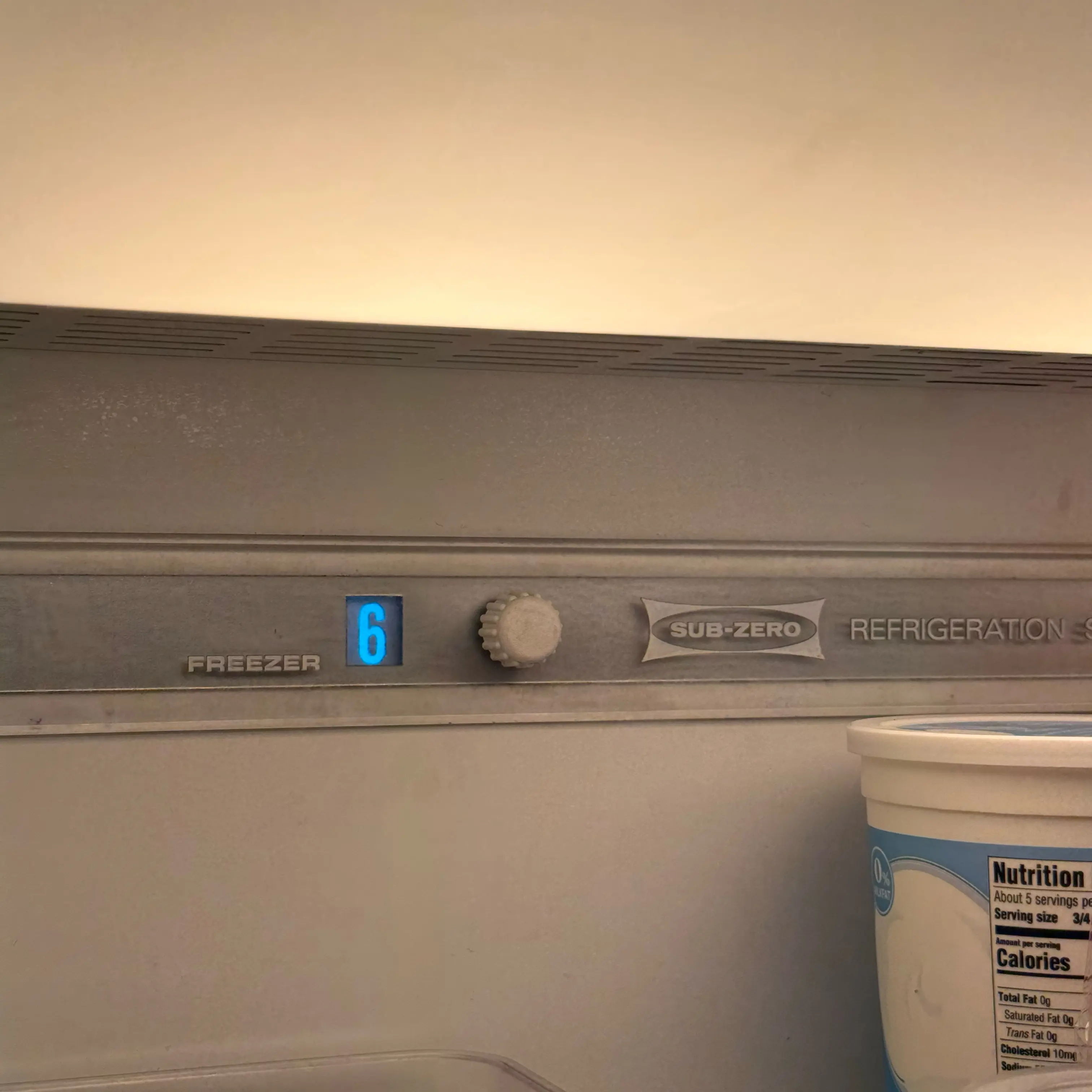
4) Photograph the model/serial label and any display or mode icon before contacting service.
5) If the model has a user-accessible mechanical light switch, gently press/release it once; do not pry it out or remove trim.
Do Not Do This
- Do not bypass, tape, jumper, or defeat a door switch or light terminator.
- Do not remove LED modules, lamp housings, control covers, or wiring.
- Do not use a heat gun, hair dryer, or external heat to “reset” the light system.
- Do not keep the door open repeatedly while testing; that can retrigger the protection behavior and warm the food compartment.
When to Stop and Request Service
Request service if the lights remain out after the cool-down, return to failure repeatedly, flicker, smell hot/burnt, or are accompanied by a dead display, loss of cooling, water near electrical parts, a recurring alarm, or a service message. If food is warming, use the cooling troubleshooting path immediately; the light symptom alone does not prove the refrigerator is cooling correctly.
Closed-door recovery versus a persistent failure
- Lights return after the documented closed-door cool-down: This supports the model's light-protection timeout rather than a failed lamp. Record how long the door was open and whether the same event repeats during normal use.
- One compartment returns but another stays dark: This weakens a whole-unit power explanation. The technician should identify the exact lamp, door switch, terminator, wiring, or control branch for that model.
- Lights stay dark and the display or cooling also changes: Treat this as a broader power, control, or cooling problem rather than a light-only timeout.
- Lights work until the door remains open again: The repeatable trigger is useful evidence. It does not justify bypassing the door switch or light-protection circuit.
Related Help that changes the diagnosis
- If lights, ice, dispenser, and alarms changed together, use Sub-Zero Sabbath mode lights, dispenser, ice off.
- If the unit appears powered but is not cooling, use Sub-Zero showroom mode not cooling.
- If the door no longer closes evenly, use Sub-Zero door seal problems.
FAQ
Why did both Sub-Zero compartments go dark while cooling still works?
When the lights changed immediately after a long door-open event and cooling, display, and controls remain normal, the documented light-terminator protection response is stronger than a whole-unit power failure. Keep every door and drawer closed through one full cool-down before retesting.
What if only one Sub-Zero light or compartment stays dark?
A single dark zone after the cool-down is no longer explained as well by a whole-system protection response. Record the exact compartment and whether its door alarm and switch response work so service can separate the local LED module, switch, connector, wiring, and control output.
.jpeg)