.avif)


.avif)
Bosch Dryer Repair
Identify your Bosch dryer before choosing parts or repair work
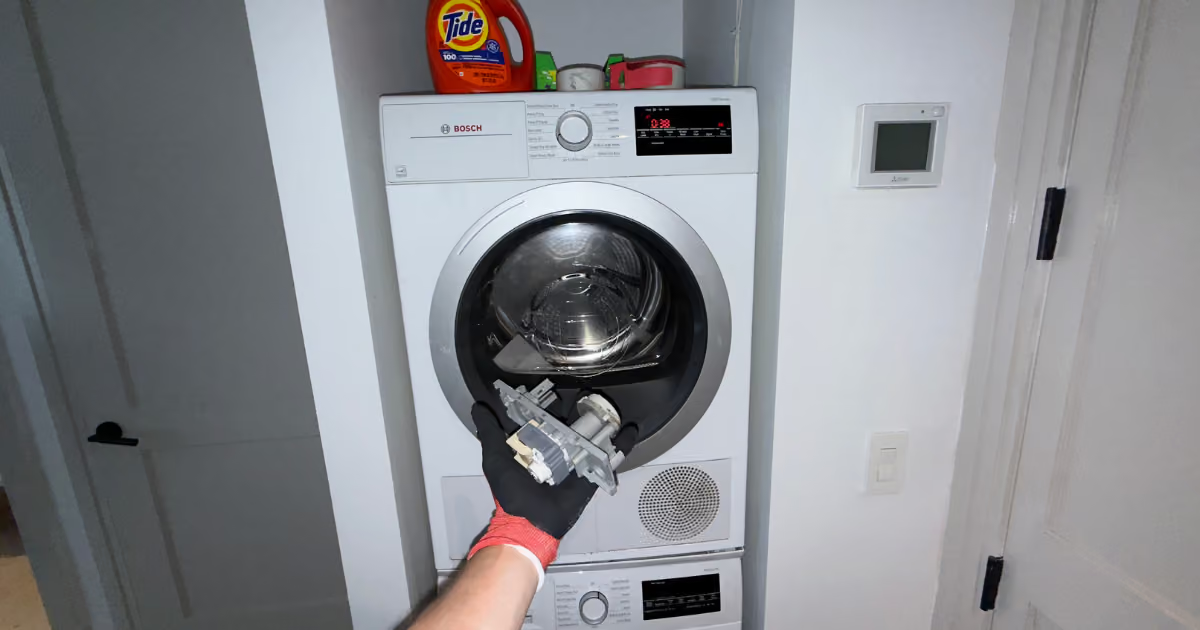
Bosch dryer diagnosis needs to separate compact ventless behavior, lint-filter restriction, condenser or heat-pump maintenance, moisture-sensor feedback, heating-circuit warnings, electronics fault codes, and apartment access before repair work is planned. In Brooklyn and Manhattan homes, Bosch dryers are often stacked, built into tight closets, or installed where the condenser, filter, drain, and power access are not easy to reach. The useful starting evidence is the exact code or symptom, model tag, program selected, filter condition, condenser or maintenance-flap access, water location if present, and photos showing whether the unit can be moved safely.
Collect the model tag, exact display wording, selected program, load type, whether the load became warm or stayed cold, visible filter condition, and photos of the installation. If the dryer is stacked, built in, or inside a narrow closet, document access before moving anything.
Bosch dryer symptom patterns
Bosch dryer complaints overlap from the outside. Damp clothes, no heat, early stop, display messages, water, odor, and no-start behavior can point to different situations depending on the model and installation.
E01 or E02 lint-filter blockage
E01 or E02 lint-filter blockage.
E06 heating-circuit issue
E08, E09, E24, E25, E28, or E90 electronics issue
E08, E09, E24, E25, E28, or E90 electronics issue.
Not drying completely with no code
Not drying completely with no code.
Dryer not getting warm
Dryer is not turning on
Bosch dryer common problems and diagnostic differences
The visible symptom is only the starting point; model, platform, timing, and installation can change what needs to be checked. Each problem below separates safe homeowner observations from technician-only confirmation.
E01 or E02 lint-filter blockage
Signal: The Bosch dryer displays E01 or E02, may slow down, or may leave loads damp after the filter path is restricted.
What it can mean: Bosch identifies E01/E02 as lint-filter blockage and gives visible filter cleaning as the first issue. What separates the possibilities: Filter condition, wet filter, heavy load, condenser platform, cabinet heat, and whether the code returns all change the situation.
Safe checks: Remove lint from the visible filter, wash it gently if model instructions allow, let it dry completely, and photograph the filter state. Do not: Do not run without the filter, scrape internal areas, open covers, or keep repeating hot cycles after the code returns.
Stop using the appliance if: Stop if the dryer overheats, smells hot, leaks water, or E01/E02 returns after accessible filter cleaning. Send before service: Display photo, filter photos, model tag, load type, and installation photos.
What the technician verifies: The visit confirms filter restriction, moisture sensor behavior, condenser/air path condition, and installation heat before repair decisions. Next step: Accessible filter care first; appliance diagnosis if the code returns with a clean, dry, correctly seated filter.
For the exact model and filter-care boundary, see Bosch dryer E01/E02: model-specific filter checks.
E06 heating-circuit issue
Signal: The dryer shows E06 or behaves like a cold-load issue with a Bosch heating-circuit warning.
What it can mean: Bosch identifies E06 as a heating-circuit fault issue that should move beyond homeowner cleaning. What separates the possibilities: Display timing, heat present or absent, filter state, supply conditions, model family, and access decide the start point.
Safe checks: Photograph the code and record whether the dryer ever warmed before the fault appeared. Do not: Do not test powered components, remove covers, or assume a heater part from the code alone.
Stop using the appliance if: Stop if the code returns, if a breaker trips again, or if odor, smoke, or abnormal heat appears. Send before service: Display photo, cycle name, heat behavior, model tag, and install/access photos.
What the technician verifies: The visit confirms heat request, supply, sensor feedback, heating-circuit response, and control interpretation. Next step: Appliance diagnosis needed; homeowner action should stay at evidence collection and safe shutoff.
E08, E09, E24, E25, E28, or E90 electronics issue
Signal: The Bosch dryer shows one of the electronics fault codes and may stop, fail to start, or interrupt the program.
What it can mean: Bosch groups E08, E09, E24, E25, E28, and E90 as electronics fault situations. What separates the possibilities: Code timing, display behavior, door response, drum movement, recent water issue, and supply behavior decide the situation.
Safe checks: Photograph the exact code, note when it appears, and record whether the drum moved before the stop. Do not: Do not open controls, test boards, defeat safety devices, or keep restarting after the code returns.
Stop using the appliance if: Stop if the code returns, if water is nearby, if a breaker trips again, or if the display flickers with odor or heat. Send before service: Display photo, start sequence video, model tag, cycle name, and installation/access photos.
What the technician verifies: The visit confirms supply, door and drum response, electronics fault state, moisture exposure, and safe access. Next step: Appliance diagnosis needed; no homeowner repair step beyond evidence collection.
Not drying completely with no code
Signal: The cycle finishes, but clothes are still damp or drying takes longer without a visible code.
What it can mean: Bosch not-drying support points to lint filter, program selection, and moisture sensor residue. What separates the possibilities: Program selection, fabric type, load size, lint filter, moisture sensor residue, condenser condition, and room heat can create the same complaint.
Safe checks: Check the selected program, clean the visible lint filter, and gently wipe accessible moisture sensor surfaces if the manual location matches the model. Do not: Do not use abrasive tools on sensors, open panels, or treat long dry time as a heater failure without situation confirmation.
Stop using the appliance if: Stop if the cabinet overheats, smell appears, water leaks, or a fault code appears after repeated damp results. Send before service: Cycle name, load type, filter photo, sensor-area photo if accessible, model tag, and install photos.
What the technician verifies: The visit separates program/load mismatch, sensor residue, air path, condenser condition, heat response, and installation heat. Next step: Safe observation first; appliance diagnosis if the same load stays damp after accessible filter and program checks.
Dryer not getting warm
Signal: The Bosch dryer tumbles but the load stays cold, or the machine never develops useful heat.
What it can mean: Bosch not-warming support treats the issue as a diagnosis issue rather than a homeowner part replacement path. What separates the possibilities: Cold from start, heats then drops out, E06, airflow restriction, condenser state, supply behavior, and program selection all change the situation.
Safe checks: Record whether any warmth appears, whether a code displays, and which program was selected. Do not: Do not open panels, test heating parts, defeat protection, or repeat breaker resets.
Stop using the appliance if: Stop if there is odor, smoke, abnormal cabinet heat, breaker trip, or an E06 return. Send before service: Heat/no-heat timing, display photo, cycle name, model tag, filter state, and install photos.
What the technician verifies: The visit confirms supply, heat request, heating-circuit response, airflow/condenser condition, and controls. Next step: Appliance diagnosis needed when cold-load behavior persists with normal display and safe visible checks complete.
Dryer is not turning on
Signal: The display is dark, the dryer will not start, or the appliance accepts input but does not begin the program.
What it can mean: Bosch no-start support points first to power cord, door closure, program selection, fuse, and breaker. What separates the possibilities: Dark display, lit display, door state, selected program, one tripped breaker, and stacked access lead to different results.
Safe checks: Confirm the door is closed, confirm a program is selected, note display behavior, and observe the breaker state once if safe. Do not: Do not keep cycling a breaker, push the door past normal latch resistance, open the control area, or use powered testing.
Stop using the appliance if: Stop if the breaker trips again, if the outlet or cord is hot, or if water is present near power. Send before service: Display photo or short start video, model tag, door/latch photo, and access photos.
What the technician verifies: The visit confirms supply, door/latch feedback, program response, electronics state, and motor-start issue. Next step: Safe observation first; appliance diagnosis if no-start persists after visible door/program/power observations.
Drum does not spin
Signal: The dryer turns on but the drum does not rotate, or the machine appears ready but no tumbling begins.
What it can mean: Bosch drum-not-spinning support begins with plug and door closure, then situations unresolved cases to diagnosis. What separates the possibilities: Display on/off state, door feedback, motor sound, load jam, recent noise, and code timing decide the situation.
Safe checks: Confirm the door is closed, remove an overloaded or jammed load if the door opens normally, and record whether any motor sound happens. Do not: Do not force the drum, open the cabinet, reach into belt areas, or defeat the door switch.
Stop using the appliance if: Stop if the drum is stuck, scraping, smells hot, or the display shows an electronics fault. Send before service: Short start video, sound description, display photo, model tag, and install photos.
What the technician verifies: The visit separates door feedback, motor start, drum resistance, belt/drive path, control response, and access. Next step: Appliance diagnosis needed if door and power observations are normal and the drum still does not rotate.
Condenser access or maintenance warning
Signal: Drying slows, moisture handling changes, or the condenser/maintenance flap issue is the visible issue.
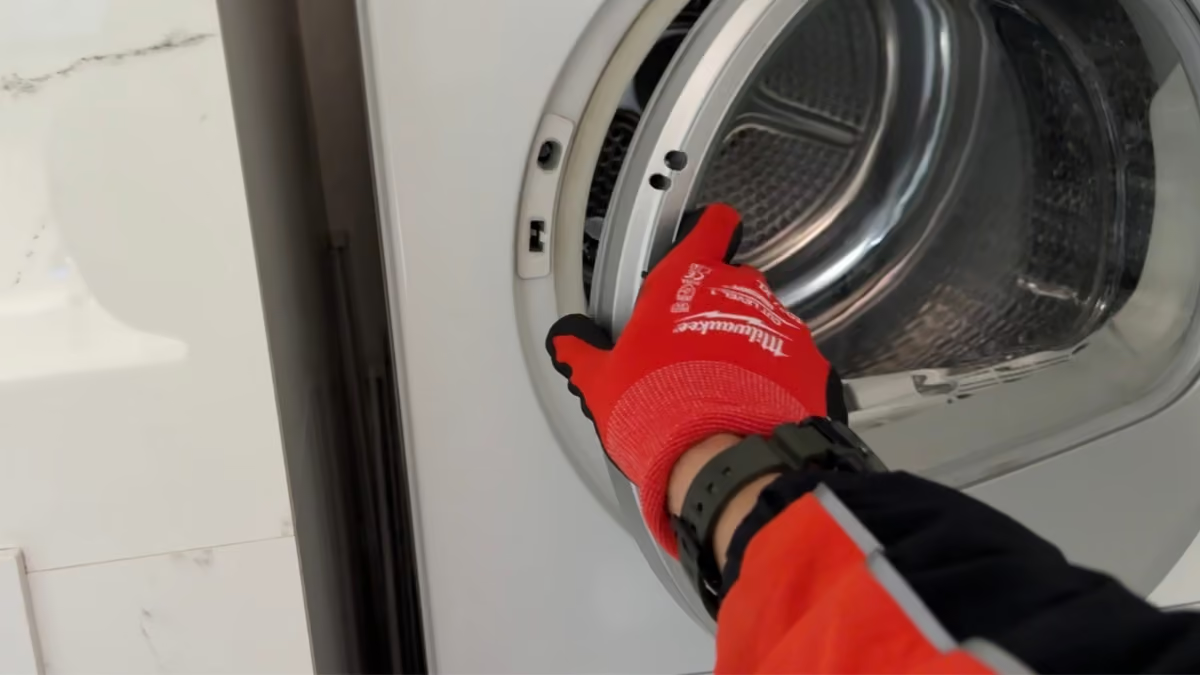
What it can mean: Bosch condenser guidance starts with a cool dryer, maintenance flap access, towel for drips, and no sharp instruments. What separates the possibilities: Condenser platform, self-cleaning design, flap access, water drips, filter state, and cabinet clearance change the issue.
Safe checks: Use only model-appropriate accessible condenser steps when the dryer is cool and the maintenance flap can be reached safely. Do not: Do not use sharp instruments, force the maintenance flap, drag a built-in dryer out, or ignore water near power.
Stop using the appliance if: Stop if water reaches powered areas, if the condenser cannot be accessed safely, or if drying worsens after accessible cleaning. Send before service: Model tag, maintenance-flap photos, water location photos, filter state, and cabinet/closet photos.
What the technician verifies: The visit confirms condenser access, drainage/moisture behavior, air path, sensor feedback, and installation limits. Next step: Accessible check only where model design allows; access planning or appliance diagnosis if the issue is blocked.
Smell or odor from drum
Signal: The customer notices odor from the dryer drum, filter area, or load after a cycle.
What it can mean: Bosch smell guidance situations through wiping the drum, cleaning the lint filter, cleaning the condenser, and wiping the moisture sensor. What separates the possibilities: A normal stale odor, burning smell, wet lint, condenser moisture, residue on sensors, and cabinet overheating are separate situations.
Safe checks: For non-burning odor, document drum, filter, and condenser condition and perform only accessible cleaning from model instructions. Do not: Do not keep running the dryer with a burning smell, use harsh chemicals inside the appliance, or open internal panels.
Stop using the appliance if: Stop immediately for burning smell, smoke, unusual heat, melted odor, or repeated breaker trip. Send before service: Odor description, cycle timing, filter photo, condenser/flap photo if accessible, model tag, and install photos.
What the technician verifies: The visit separates residue, wet lint, condenser moisture, overheating, electrical odor, and airflow restriction. Next step: Safe cleaning only for non-burning odor; stop using for burning smell or heat signs.
Moisture sensor residue issue
Signal: Sensor programs finish early, run long, or leave clothes damp while timed programs behave differently.
What it can mean: Bosch not-drying and cleaning guidance both point to moisture sensor cleaning with a gentle damp-cloth method. What separates the possibilities: Sensor program versus timed program, load size, fabric type, residue, lint filter condition, and condenser state decide the path.
Safe checks: If the model exposes the sensor by the lint filter, wipe it gently with a damp cloth and let the area dry. Do not: Do not scrape sensors, sand the surface, use aggressive chemicals, or open the appliance to find hidden sensors.
Stop using the appliance if: Stop if the dryer overheats, shows a code, leaks, or the behavior pairs with burning smell. Send before service: Program names, load type, sensor-area photo if accessible, model tag, and drying timeline.
What the technician verifies: The visit confirms sensor contact, residue, control interpretation, airflow/condenser state, and load behavior. Next step: Accessible sensor wipe only where model design allows; appliance diagnosis if sensor behavior remains inconsistent.
Water or condensate near the dryer
Signal: Water appears near the front, under the maintenance flap, or around a compact condenser/heat-pump installation.
What it can mean: Bosch condenser guidance expects some water handling around the maintenance flap, but active water near power changes the safety boundary. What separates the possibilities: Condenser cleaning, drain issue, container behavior where model applies, cabinet slope, access, and water location all change the issue.
Safe checks: Photograph the water location before cleanup and note whether it came from the maintenance flap, door area, or hidden rear issue. Do not: Do not keep running with active water, move a stacked dryer, or open hidden drain paths.
Stop using the appliance if: Stop if water is near outlet, plug, control area, or under a stacked appliance. Send before service: Water photos, model tag, maintenance-flap photos, install/access photos, and code photo if present.
What the technician verifies: The visit separates expected maintenance water, condensate handling, leak path, drain restriction, and safe access. Next step: Stop using if water is near powered areas; access planning or appliance diagnosis depending on photos.
If the complaint is a filling tank rather than water on the floor, see Bosch condensate tank keeps filling.
Stacked, closet, or cabinet access blocks the correct issue
Signal: The Bosch dryer may have a code, damp-load symptom, condenser issue, or no-start, but the appliance cannot be safely reached.
What it can mean: Bosch support situations depend on filter, condenser, program, power, and door access; tight NYC installs can block those checks. What separates the possibilities: Stack kit, closet depth, maintenance flap clearance, side walls, floor protection, drain issue, and building access rules decide the visit.
Safe checks: Send wide photos, side-clearance photos, flap/filter area photos, and building access rules without moving the appliance. Do not: Do not pull a stacked unit forward, remove cabinetry, kink ducts, or reach behind the dryer blindly.
Stop using the appliance if: Stop if movement is unsafe, water is active, heat/smell appears, or the code returns during access attempts. Send before service: Front and side photos, model tag, code photo, building access requirements, and COI instructions if the building requires them.
What the technician verifies: The visit begins with access planning, then follows the code, no-dry, no-start, condenser, or sensor situation. Next step: Collect evidence before booking; likely installation/access issue if the correct support issue cannot be reached safely.
Bosch dryer code family atlas
For the exact current wording, compare the display and E-Nr with the Bosch dryer error-code index and the applicable steps in Bosch dryer owner support. Code families and reset guidance can vary by model.
A dryer code is a diagnosis signal, not a part order. Exact model, display wording, timing, heat behavior, and access still matter.
E01/E02: Lint-filter blockage issue
E01 or E02 lint-filter blockage.
E06: Heating-circuit issue
E08/E09/E24/E25/E28/E90: Electronics fault issue
E08, E09, E24, E25, E28, or E90 electronics issue.
No-code damp load: Program, filter, sensor, or condenser issue
Not drying completely with no code.
No-start state: Power, door, program, fuse, or breaker issue
Condenser access state: Condenser, water, air path, or maintenance issue
Condenser access or maintenance warning.
Safe Bosch dryer checks before booking
Safe customer work is observation. Photograph the display, note the program, document load behavior, clean only a visible lint filter, and inspect only model-accessible areas without moving a stacked or built-in dryer.
Do not remove covers, test powered parts, defeat switches, pull a stacked appliance forward, loosen supply fittings, open hidden drain paths, reach behind a built-in dryer blindly, or keep running cycles after a returning fault.
Gas odor in the room is an emergency even when the dryer is electric. If you smell gas, leave immediately with others and do not operate appliance controls, switches, plugs or phones inside. From a safe outdoor location, call 911 and the gas utility. Stop using the dryer for smoke, burning smell, unusual heat, active water near powered areas, abnormal drum movement, or a breaker that trips again.
When the Bosch dryer issue needs appliance diagnosis
A visible lint filter or accessible container check can be a first step. The diagnosis changes when the message returns, when heat behavior is unclear, when a code points to power, temperature, electronics, gas, or heating-circuit conditions, or when access is blocked by a stack, closet, cabinet, duct, or drain path.
- What to record first: Send the dryer model, full display, load, selected cycle, heat behavior, safely visible filter and condensate or exhaust details for the exact model, and installation photos.
- Safe visible checks: visible lint filter, sensor surface, container, or visible hose issue can be checked without moving the appliance.
- Access requirements: the issue is blocked by stack, closet, cabinet, duct, drain, or building rules.
- Appliance diagnosis: a code returns, no-start persists, heat/no-heat issue remains unresolved, or electronics/sensor behavior continues.
- Stop using the appliance: smoke, burning smell, unusual heat, water near power, gas odor, abnormal drum movement, or breaker trip recurrence.
What to send for Bosch dryer service
- Model tag photo and full display photo.
- Selected program, load type, and whether the load became warm or stayed cold.
- Visible lint-filter photo and visible vent, drain, or condenser-access photos where safe.
- Wide installation photos showing stack, closet, cabinet, floor, door swing, and side clearance.
- Building access notes: COI request, service elevator, doorman, super access, and floor protection.
NYC apartment and building access notes for Bosch dryers
Bosch dryers in Brooklyn and Manhattan are often installed in spaces that change the first decision: stacked laundry closets, cabinet surrounds, long vent runs, compact platforms, hidden drain paths, or limited maintenance-flap access.
If the dryer cannot be reached without lifting, dragging, removing cabinetry, kinking a duct, or pulling hidden supply or drain parts, the first step is access planning. Photos of the opening, floor, side clearance, and building requirements prevent the visit from starting on the wrong situation.
Bosch dryer service area detail
This Bosch dryer page is scoped to Brooklyn and Manhattan. Use the related issue that matches the appliance, symptom, or access constraint.
- Residential dryer repair: Use this when the dryer is not Bosch or the question is a broader dryer issue.
- Bosch washer repair: Use this when the appliance is a Bosch washer, not a dryer.
- Bosch dryer not drying clothes: Use this for the deeper damp-load situation.
- Bosch dryer not heating: Use this for the no-heat situation.
- Bosch dryer hot but clothes wet: Use this when heat exists but moisture remains.
- Bosch dryer leaking water: Use this when water location is the primary issue.