
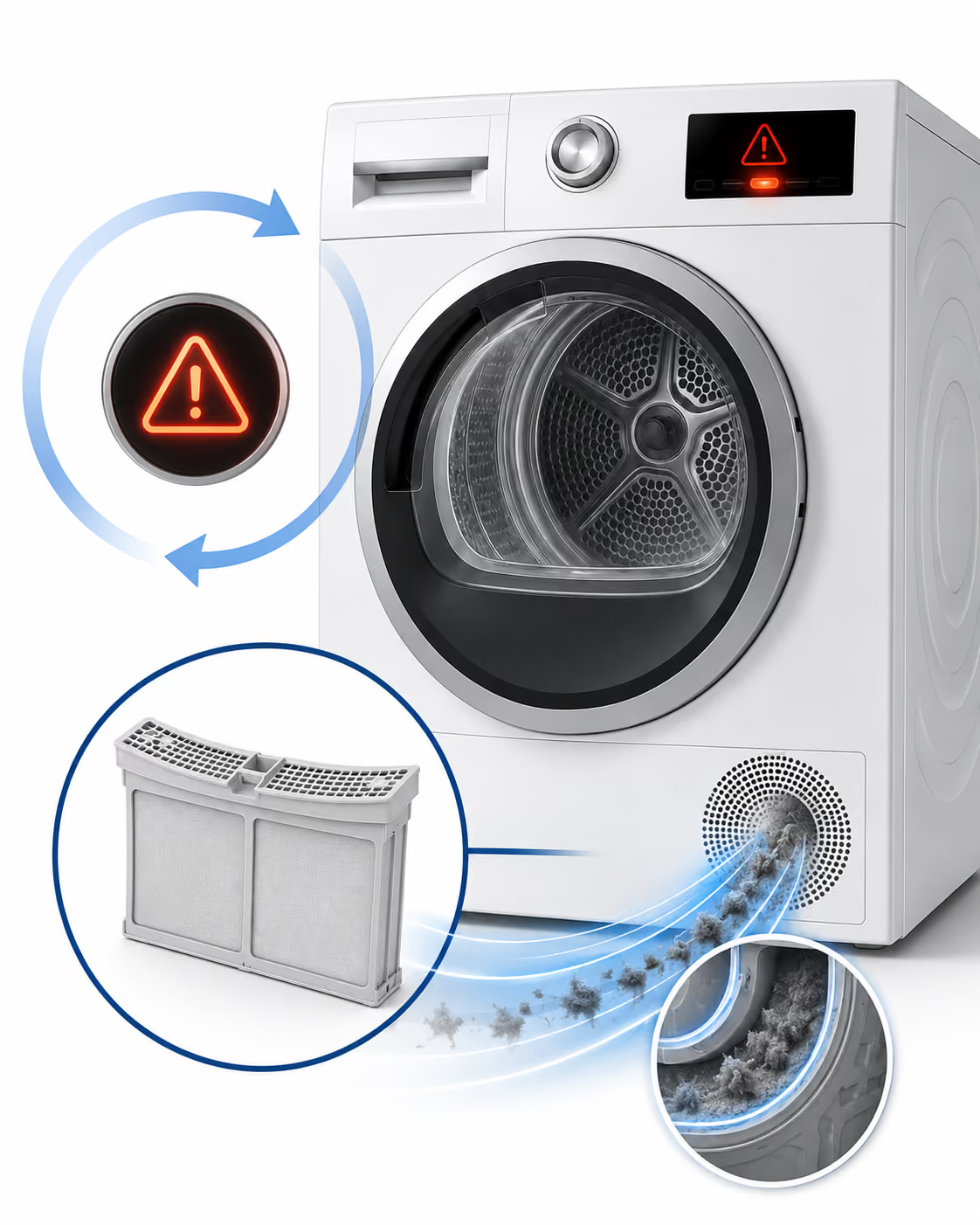

Match the Returning Warning to the Next Step
Cleaning rules out loose lint only on the pieces that were actually cleaned. It does not prove that the full screen assembly is dry and installed, distinguish an after-program prompt from an in-cycle interruption, or clear a different maintenance condition on the exact dryer.
- Shown with End: The WQB245B0UC manual links screen cleaning with the End/notification sequence, but it does not prove that a returning message is harmless or explain its cause. Use the full E-Nr instructions before taking another maintenance or clearing action.
- Returns immediately after reinstallation: This timing changes the next step to the exact-manual restoration check; it does not identify a failed part. Use the detailed safe steps below before any action the manual permits.
- Appears during the program or interrupts it: This is a different operating state from a message shown with End. The WPA12100UC manual says its filter indication can refer to the lint filter and/or condenser and can interrupt the program; use the E-Nr section.
- Returns after several minutes while drying slows: This combination moves the decision to the exact model's documented maintenance instructions. It does not prove a sensor, fan, thermostat or control fault; use the E-Nr section.
- Literally shows E01 or E02: Treat a literal code as a separate display case, not as another name for a generic filter symbol. Bosch's dedicated US E01/E02 page and broader code index do not align on E02 wording, so use the exact E-Nr manual or Bosch support rather than assigning one Bosch-wide meaning.
Use the E-Nr Before Cleaning Anything Else
Product identity: Full E-Nr and FD number.
- Current WQB heat-pump models: The WQB245B0UC manual shows a two-part lint screen and a Self-Cleaning Condenser. When that manual routes heat-exchanger care, it uses Basic Appliance Care; it does not give the WPA removable-condenser procedure.
- Current WPA condensation models: The WPA12100UC manual says its filter indication can refer to the lint filter and/or condenser. It documents a removable condenser and a Start/Pause clearing step for that model family. Those are exact-manual instructions, not a universal Bosch reset.
- Another or older Bosch model: Retrieve the manual with the full E-Nr and follow only the maintenance or clearing action listed for that model. Do not borrow the WQB or WPA procedure for a different Bosch dryer.
Safe Next Step and Service Threshold
- Disconnect before screen cleaning: For the WQB245B0UC procedure, unplug the dryer or switch off its circuit breaker before cleaning. For another model, use the power-isolation step in its exact E-Nr manual.
- Restore the complete screen: Remove every owner-accessible screen section shown in that manual. Clear lint from the screen and visible door or recess area without pushing lint into the air channel.
- Rinse only when allowed: If the exact manual permits rinsing, use gentle running water. Let every piece dry completely, then close, reassemble and seat the full screen as shown.
- Follow the model sequence: Complete the maintenance or clearing steps listed for that E-Nr. Take a restart or clearing action only when the exact manual directs it; there is no universal Bosch test cycle or reset for this warning.
- Service threshold: If the indication remains or returns after the permitted owner steps, stop repeating restarts or resets and arrange model-specific diagnosis.
- Screen stop: Do not operate if the screen is wet, open, missing, incomplete, damaged or will not seat correctly.
- Cleaning-method limit: On the WQB245B0UC family, do not use pressure washing, steam or solvents. For another model, follow the cleaning boundary in its exact E-Nr manual.
What Diagnosis Must Separate
A technician should reproduce the exact display within the model's documented sequence, then confirm the complete, conditioned screen and the exact owner-maintenance endpoint: the WQB screen/recess and Basic Appliance Care instruction when directed, or the WPA filter/condenser and Start/Pause instruction when directed. If the indication remains beyond that documented endpoint, diagnosis must separate a condition beyond owner access from an internal-system hypothesis without naming a part from sound or timing alone.


.avif)


.jpeg)