Bosch Range or Oven Has No Power: Troubleshooting Checklist
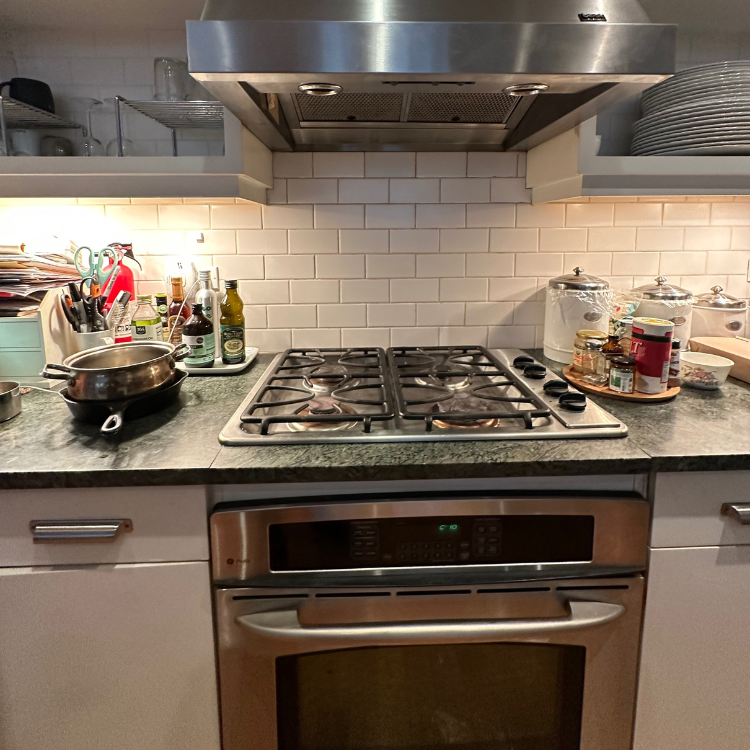
If your Bosch range or wall oven has no power (dark display, no response), start by ruling out a home power interruption or a tripped breaker. Next, do a proper breaker reset. If power returns but the clock is flashing, set the time. If the breaker trips again, or the unit stays completely dead while the cooktop still works, stop and schedule service.
At a glance: what to check first
• Is the display truly dark, or flashing after an outage
• Did you have a brief power cut that shut the oven off
• The dedicated oven or range breaker (often a double breaker for electric)
• Any GFCI outlet that might feed a gas range or a wall-oven circuit accessory
• Whether the cooktop works while the oven is dead (important split)
Quick fix (10–20 minutes)
- Reset the dedicated breaker fully OFF, wait at least 60 seconds, then ON
- If the display comes back flashing, set the clock time
- If the breaker trips again, stop and call an electrician or appliance technician
Before you start (safety)
• Do not remove panels or attempt voltage testing as a homeowner
• If checking a plug requires moving the range, do not force it or work alone. Ranges can tip if not properly secured
Step-by-step troubleshooting (safe checks only)
- Confirm what “no power” looks like on your unit
Why it matters: A flashing clock is “power present” and points to setup, not a dead unit
Checks: Look closely for any faint display, flashing time, beeps, or an oven light that turns on
What the result means:
• Flashing time or flashing display means power is present but the oven may require time to be set
• Fully dark display with no response suggests a power supply issue or internal fault
Next action: If the clock is flashing, set the time and test Bake for 1 minute
Stop and call a technician: If nothing lights up and you smell burning or see heat damage - Rule out a home power interruption
Why it matters: A brief outage can leave you thinking the oven “died,” especially if you didn’t notice other loads dropping
Checks:
• Check whether other kitchen loads lost power
• If you have a range, check whether the cooktop still works
What the result means:
• If the cooktop and other loads are also dead, focus on the home electrical supply
• If the cooktop works but the oven is dead, that points toward an oven-side issue
Next action: Move to the breaker reset step
Stop and call a technician: If multiple circuits are behaving oddly (flickering, partial power), call an electrician - Do a proper breaker reset (most common fix)
Why it matters: Some trips are not visually obvious. A half-tripped breaker can leave the unit dead
Checks:
• Locate the oven or range breaker in the panel
• Switch it fully to OFF, then back to ON (not just ON to ON)
What the result means:
• If power returns, you likely had a trip or transient event
• If it trips again immediately, there is an electrical fault that needs diagnosis
Next action: If power returns and the display flashes, set the time and test operation
Stop and call a technician: If the breaker won’t stay on, stop and call an electrician - If it’s a range, decide whether “plug and outlet” checks apply
Why it matters: Not all ranges are the same. Gas ranges usually plug into a standard outlet. Many electric ranges use a 240V range receptacle that isn’t easy to “test” without tools
Checks:
• Gas range: confirm the plug is fully seated if safely accessible
• If the plug is in a GFCI outlet (or downstream of one), press GFCI RESET
What the result means:
• Restored power after reseating the plug or resetting GFCI confirms a supply path issue
• No change means you should focus on breaker or internal fault
Next action: If still dead, proceed to “when it’s likely an appliance fault”
Stop and call a technician: If the cord or plug looks burned, melted, or damaged - After power returns, set the clock (do not skip)
Why it matters: After an outage, some Bosch ovens won’t operate normally until time is set
Checks: If the display is flashing, follow the control steps to set the time
What the result means:
• Once time is set, normal operation should resume and the flashing should stop
Next action: Start Bake and confirm preheat begins normally
Stop and call a technician: If time can’t be set or the control panel behaves erratically after power returns - If the cooktop works but the oven is dead, treat it as an oven-side fault
Why it matters: This is the key split Bosch itself uses: cooktop OK, oven dead typically means the oven has a fault rather than a whole-home outage
Checks:
• Confirm again: cooktop heats or ignites, but oven display is dark and oven won’t respond
What the result means: Likely an internal electrical or control problem that isn’t solved by homeowner resets
Next action: Schedule service. Provide model number and symptom details
Stop and call a technician: Immediately, if repeated resets don’t restore display power - If the unit died mid-cook and now stays dead, do not keep resetting repeatedly
Why it matters: Some ovens can lose power due to an over-temperature condition in the control area that requires repair, not repeated resets
Checks:
• Did it shut off mid-use and remain dead
• Any unusual heat at the control panel area, odor, or signs of overheating
What the result means: Possible internal protection or failed component requiring professional diagnosis
Next action: Leave power off and schedule service
Stop and call a technician: Yes. This is not a “keep trying” scenario
Fast diagnosis: what your symptoms suggest
• Nothing works (no display, no oven light, no cooktop) = likely breaker, fuse, or incoming power issue
• Cooktop works but oven is dead = likely oven-side fault that needs service
• Display is flashing after an outage = set the clock, then retest
• Breaker trips again after reset = electrical fault. Stop and call an electrician
Common mistakes that waste time
• “Resetting” a breaker without fully switching it OFF first
• Assuming a brief outage didn’t happen because lights stayed on
• Trying to access wiring or remove panels without training
• Pulling the range out aggressively without considering tip risk
When to stop and call a technician (clear stop conditions)
• Breaker trips repeatedly or won’t hold ON
• Burning smell, melted plug/cord, scorch marks, or unusual heat at controls
• Cooktop works but oven stays completely dead after a proper breaker reset
• Unit shut off mid-cook and never recovered
FAQ
Why did my Bosch oven lose power but the cooktop still works
That pattern points away from a whole-home outage and toward an oven-side electrical or control issue. A technician should diagnose it safely.
My display is flashing. Is that “no power”
No. Flashing usually indicates power is present and the time needs to be set after an interruption.
How long should I leave the breaker off
Long enough to ensure a full reset. If it returns to normal, set the clock and retest. If it trips again, stop and call an electrician or technician.
Breaker is ON but the oven is still dead. What now
Treat it as either a hidden trip (reset properly) or an appliance-side fault. If a correct reset doesn’t restore power, schedule service.
Is it safe to keep trying different modes after it comes back on
If power returns normally, test briefly. If anything seems abnormal (re-trips, burning smell, repeated shutdown), stop and schedule service.
Need on-site diagnosis in NYC
Volt & Vector Appliance Repair
Phone: +1 (332) 333-1709
Email: voltnvector@gmail.com
Service area: Brooklyn, Manhattan below 96th St, selected Queens ZIPs





.avif)
.avif)


.png)
.png)

.jpg)