Quick answer:
A dryer that takes too long and then shuts off needs its stop timing and final load temperature documented before any part is guessed. A normal sensor end, a cool power interruption, and a hot shutdown after restricted airflow are different paths even though all leave damp clothes. Stop using the dryer for abnormal heat, weak or absent exhaust, burning or gas odor, a hot plug, repeated breaker trips, or a machine that restarts only after cooling.
Overheat and fire-safety gate
Do not keep adding time after the dryer shuts down hot. Repeated restarts can hide an airflow, electrical, motor, or thermal-protection problem while increasing heat and lint exposure.
Keep the dryer off when:
- the cabinet, door, plug, receptacle, or laundry is unusually hot;
- outdoor airflow is weak or absent at a safely accessible termination;
- there is smoke, burning, melting, or gas odor;
- the breaker trips or power drops repeatedly;
- the dryer stops, cools, and then runs again in a repeat pattern;
- the lint filter is missing, damaged, wet, or will not seat;
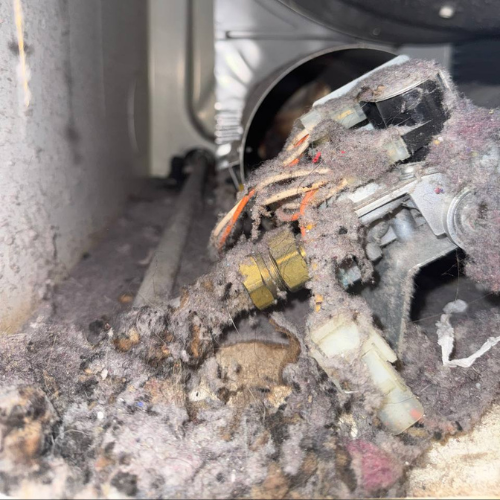
- the exhaust connector is crushed, disconnected, punctured, plastic, or unsafe;
- a displayed airflow or heat warning returns.
If gas odor is present, leave the area and call 911 and the gas utility from a safe location. Do not operate electrical devices inside.
What’s really happening
The combination matters: this is not only a long-dry complaint and not only a stop complaint. The dryer may be adjusting a sensor estimate, ending because it believes the load is dry, losing electrical supply, detecting an open door, protecting an overheated motor, or interrupting heat because airflow or temperature is abnormal.
Use the Stop Timing + Load Temperature matrix:
- Ends early, controls stay on, load warm-damp: Sensor contact, load mix, dryness selection, or moisture-removal behavior moves forward.
- Stops at nearly the same elapsed time and is very hot: Airflow, motor heating, and thermal protection need priority.
- Goes completely dark and stays cool: Supply, plug, receptacle, connection, or control power is more relevant.
- Stops when the cabinet or door moves: Door/latch recognition or vibration may be involved.
- Time changes but the dryer keeps running: Sensor logic may be recalculating; that is not the same as an actual shutdown.
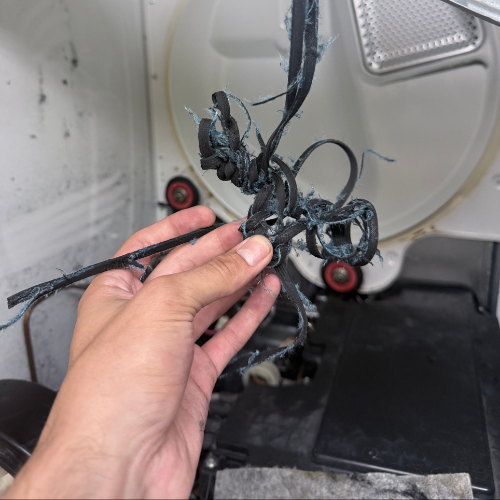
Heat alone does not dry clothes. Air must move through the load and carry moisture into a vent or through the dryer’s ventless condensate path. A hot, damp result can therefore indicate poor moisture removal rather than weak heat.
The exact owner manual is the source for the selected cycle's intended behavior, lint-filter care, ventless maintenance points, and displayed warnings. Use it to interpret observations, not to convert one symptom into an unconfirmed part diagnosis.
Ranked action plan
Low effort: identify the exact kind of stop
Record display, sound, and elapsed time
Why it works: A completed cycle, paused cycle, dead control, open-door response, and protective stop leave different evidence. Approximate timing also shows whether the failure repeats only after heat builds.
Tools/materials: Phone clock, camera, and notes.
What to record:
- cycle name and starting estimate;
- actual elapsed time before stopping;
- whether End, Pause, a code, or a blank display appears;
- whether the drum coasts, stops suddenly, or never loses power;
- whether pressing Start works immediately or only after cooling.
Common mistakes:
- clearing the display before photographing it;
- treating a changing time estimate as a shutdown;
- restarting immediately and losing the cooldown evidence;
- running multiple full loads to prove the pattern.
Classify the final laundry temperature
Why it works: Cold-damp points toward missing heat or early interruption; warm-damp points toward sensing, load, or moisture removal; excessively hot-damp raises an airflow and overheat concern.
Tools/materials: Notes and careful hand observation of fabric only.
What to do:
- Open only after the drum stops.
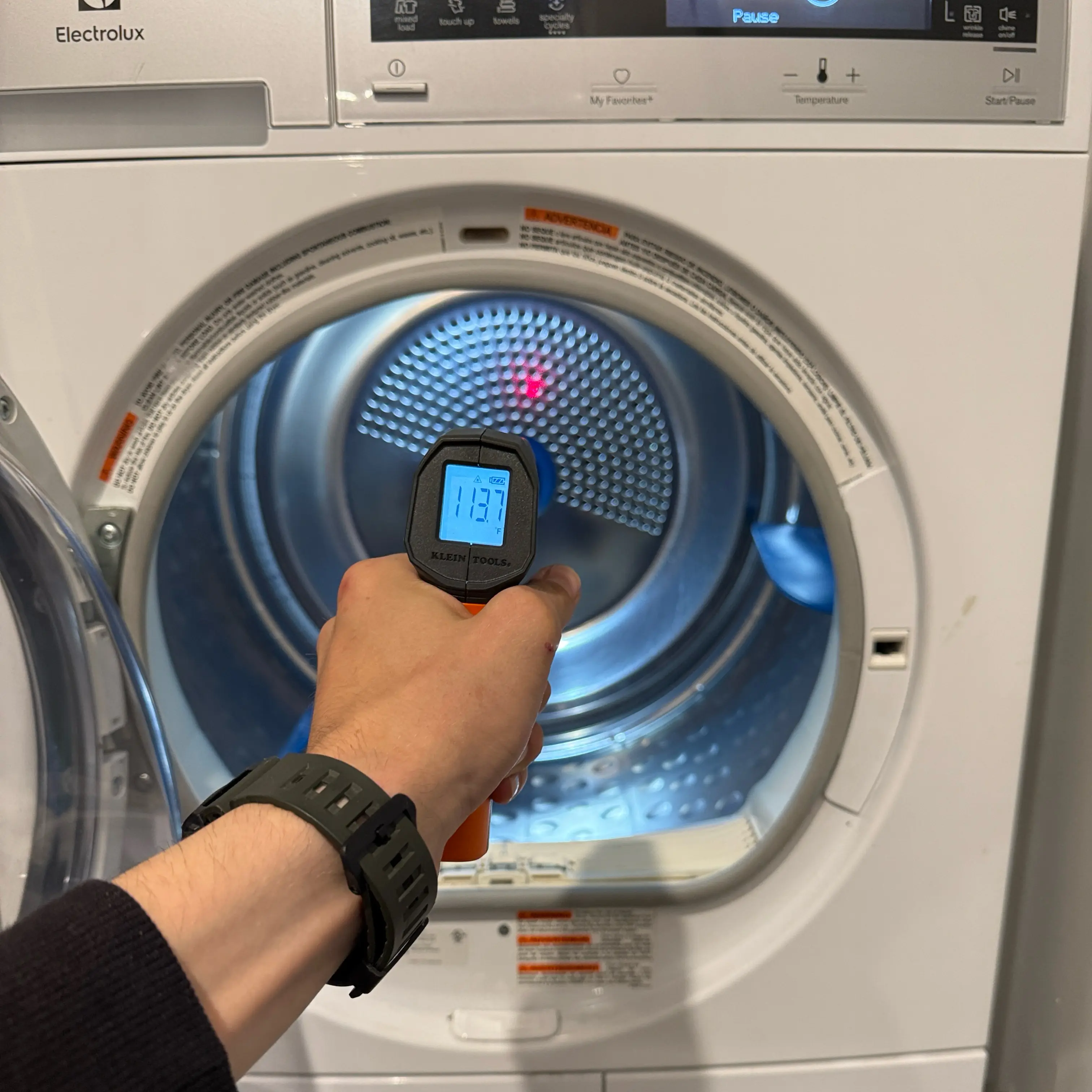
- Note cold, normally warm, hot, or too hot to handle comfortably.
- Check whether thick and thin items differ.
- Notice steam or unusual room humidity.
Common mistakes:
- touching internal metal;
- using an infrared reading as a universal diagnosis;
- waiting so long that all temperature evidence disappears;
- calling every warm load overheated.
Check load, cycle, and sensor contact
Why it works: Mixed fabrics, one bulky item, a very small load, overload, dryness level, or an air/eco setting can produce long estimates or early sensor endings without a hardware fault. The model manual identifies which cycles use moisture sensing and which options intentionally change time or temperature.
Tools/materials: Care labels and exact owner manual.
What to do:
- Separate thick towels from thin garments.
- Untangle sheets and reduce an overfilled drum.
- Confirm a heated cycle and intended dryness level.
- Compare timed versus sensor behavior only if the dryer has no safety symptoms.
Common mistakes:
- using Time Dry indefinitely as a workaround;
- stuffing the drum so items cannot tumble;
- treating one small item as a reliable sensor test;
- changing several variables at once.
Medium effort: check airflow and supply safely
Clean and inspect the lint screen
Why it works: A restricted screen reduces airflow at the first owner-accessible point. Residue can remain even when loose lint was removed, and the manual defines whether rinsing or another cleaning method is allowed for that filter.
Tools/materials: Soft brush, warm water when approved, and complete drying time.
What to do:
- Remove lint before the next safe use.
- Check for coating from laundry products.
- Wash only as the manual permits.
- Dry fully and seat correctly.
Common mistakes:
- operating without the screen;
- reinstalling it damp;
- puncturing mesh;
- assuming the rest of the vent is clear.
Inspect the visible transition and exterior hood
Why it works: USFA guidance identifies crushed, damaged, or restricted venting and an exterior covering that does not open as safety concerns. A hidden route can remain blocked after the visible connector is clean.
Tools/materials: Flashlight and phone camera.
What to do:
- Check the connector without moving a stacked or gas installation.
- Look for crushing, excess folds, disconnection, or damage.
- Observe an accessible exterior hood during a brief air-only operation only if the dryer is otherwise safe.
- Route concealed or shared ducts to qualified vent/building service.
Common mistakes:
- drying with the connector removed;
- reaching from a roof, window, or fire escape;
- using a leaf blower;
- clearing only the first section and declaring the route open.
Check visible power and door conditions
Why it works: A loose door, damaged latch area, unstable plug, or supply interruption can stop the cycle without the same heat pattern as a vent restriction.
Tools/materials: Flashlight and dry visual access.
What to do:
- Confirm the door closes normally and no fabric is trapped.
- Inspect the accessible cord and plug for damage or discoloration.
- Use at most one permitted breaker reset.
- Note whether controls go dark at the stop.
Common mistakes:
- holding the door switch;
- opening the latch or control panel;
- using an extension cord;
- resetting a breaker repeatedly.
Separate an appliance stop from a building-supply event
Why it works: In an apartment or older home, a dryer may lose power because of a receptacle, breaker, shared electrical condition, gas interruption, or building work rather than an internal control decision. The display state and whether other affected equipment changed at the same time help assign the next trade without pretending to prove the cause.
Tools/materials: Breaker label, building notice, utility contact information, and notes.
What to do:
- Record whether the display went completely dark or showed a completed/paused state.
- Ask whether approved building electrical, gas, or maintenance work was underway.
- Note whether the breaker or utility condition affected anything else.
- Keep appliance diagnosis separate from a confirmed building-supply correction.
Common mistakes:
- using another appliance on the same outlet as a test;
- moving the dryer to a different circuit;
- assuming a building outage explains a hot restart-after-cooling pattern;
- asking appliance service to alter the building supply.
High effort: preserve the failure before service
Build a repeat-pattern record without repeated heated cycles
Why it works: The relationship between elapsed time, cabinet temperature, restart delay, airflow, and display state helps separate supply interruption, sensing, door, airflow, motor protection, thermal safety, and control behavior.
Tools/materials: Model/serial photo, one safe observation record, vent description, and service history.
What to record:
- gas, electric, vented, condenser, or heat-pump platform;
- cycle, load, and dryness level;
- exact stop time and display state;
- load and cabinet temperature;
- immediate versus after-cooling restart;
- visible lint screen, connector, and exterior-airflow findings;
- recent vent cleaning and what portion was actually reached;
- recent electrical, gas, installation, or moving work;
- every code or warning.
Common mistakes:
- repeatedly overheating the dryer for a precise timestamp;
- approving a motor, sensor, thermostat, fuse, or board from the pattern;
- treating “vent cleaned” as proof without route scope;
- ignoring the washer’s spin result when laundry enters dripping wet.
Stop DIY and call a professional if…
- the dryer stops hot or restarts only after cooling;
- long drying persists after load, cycle, filter, and visible vent checks;
- airflow is weak, absent, shared, concealed, or inaccessible;
- controls go dark, the plug is hot, or the breaker trips again;
- there is a burning, melting, electrical, or gas odor;
- the drum stops while the timer continues or unusual humming/grinding appears;
- a code or airflow warning returns;
- diagnosis requires panel removal, live-voltage testing, gas access, motor testing, or bypassing a door or thermal device.
The diagnostic visit should prove the installed airflow route, actual heat pattern, supply stability, drum and blower operation, motor temperature behavior, door input, sensor response, thermal protection, wiring, and control output.
Maintenance cadence
Weekly
- Clean the lint screen for every load.
- Keep loads able to tumble and separate very different fabric weights.
- Notice changes in time, temperature, sound, and exterior airflow.
Monthly
- Clean lint-screen residue as the manual allows.
- Inspect visible connector condition.
- Clean accessible moisture-sensor surfaces only by the exact manual method.
Quarterly
- Observe the accessible exterior hood.
- Compare one normal load with the established drying baseline.
- Check the visible cord, plug, door, and surrounding clearance.
Annual
- Arrange complete exhaust-route inspection/cleaning appropriate to the building and use.
- Review model/serial, fuel, installation, and service records.
- Confirm access responsibility for concealed or shared ducts.
FAQ
Why does my dryer shut off before clothes are dry?
It may be ending a sensor cycle, losing power, seeing an open door, overheating, or stopping through motor/thermal protection. The display state, stop time, load temperature, and restart delay separate the paths.
Is a changing time estimate a shutdown?
No. Sensor cycles may revise remaining time while continuing to run. Record whether the drum and controls actually stop.
Why does the dryer run again after it cools?
That pattern can indicate heat-related motor or thermal protection, often with airflow or internal causes. Do not keep using cooldown as a reset strategy.
Can a clogged vent make a dryer stop?
Restricted airflow can increase heat and contribute to protective shutdown. A clean lint screen does not prove the concealed duct or exterior termination is clear.
Why are clothes hot but still wet?
Heat is present, but moisture may not be leaving efficiently because of airflow, load, sensing, washer extraction, or a ventless condensate path.
Can overloading cause both long drying and stopping?
An overloaded drum restricts tumbling and airflow and can change sensor contact. Correct the load, but stop if abnormal heat or shutdown returns.
Should I use Time Dry instead?
One controlled comparison may help when the dryer is otherwise safe. Do not use timed cycles to override repeated hot shutdowns, weak airflow, or electrical symptoms.
Is the motor definitely failing if it stops hot?
No. Motor protection is one possibility, but airflow, thermal devices, supply, drum load, wiring, and controls can create similar behavior.
Can a wet washer load cause this symptom?
Laundry entering the dryer dripping wet increases the moisture burden and time. It may expose a dryer limitation without proving the dryer caused the original problem.
What should I provide before service?
Provide model/serial, platform, cycle, load, elapsed stop time, display state, temperature result, restart delay, airflow findings, vent scope, recent work, and exact warnings.
Sources you would cite
- Whirlpool — Why does my dryer keep stopping?
- Whirlpool — Dryer not drying or experiencing long dry times
- U.S. Fire Administration — Clothes Dryer Fire Safety
- Exact model owner and installation manuals — sensor, cycle, filter, exhaust, power, and stop behavior.