

.avif)
Independent residential GE Profile service is confirmed by exact model, address and installation access. UltraFast, built-in cooking, over-the-range microwaves and hoods need configuration photos before scheduling. Manufacturer warranty service and building utility or structural work require separate arrangements.
GE Profile repair depends on the installed product and the job it no longer completes. A warm refrigerator, a dishwasher retaining water, an UltraFast load staying wet and a conventional dryer producing no heat need different evidence. Readable QR code / Model / Serial information keeps the request tied to the correct platform.
Quick Answers
Is this GE Appliances warranty service?
Answer: No. Volt & Vector provides independent residential diagnosis and repair. Check manufacturer warranty eligibility with GE Appliances before authorizing paid work.
Can a display establish the repair price?
Answer: A code or status helps direct the inspection; diagnosis, installed access and any parts requirements establish the repair estimate.
Should I pull out a built-in oven, microwave or Combo first?
Answer: No. Send access photos so lifting, trim, connected utilities and service clearance can be reviewed before the visit.
Service Areas
Volt & Vector continues GE Profile service in Brooklyn, Manhattan below 96th Street and selected Queens routes, alongside Scarsdale, Eastchester and Bronxville. Exact address, model, access and route are confirmed for every appointment.
Choose the GE Profile Appliance That Matches the Problem
- Washer or UltraFast Combo: Use GE washer repair. Identify washer-only versus ventless combination and record fill, tumble, drain, spin, dry, filters, and cycle completion.
- Dryer: Use GE dryer repair. For no heat, use the GE dryer not heating guide and preserve vented versus ventless platform.
- Refrigerator: Use refrigerator repair. Record actual temperatures, affected zone, door and power history, and exact capitalization. For an ice complaint, distinguish an empty bin from ice already made but not dispensing.
- Dishwasher: Use dishwasher repair. Record fill, wash, drain, standing water, and leak state.
- Range, oven, or induction: Use GE induction range repair, range repair, or the GE oven not heating guide according to product and symptom.
- Microwave or hood: Use microwave repair or range hood repair. Stop for arcing, smoke, damaged cavity, or burning odor.
How GE Profile Service Works
- Confirm product and access: Volt & Vector reviews the actual GE Profile model and whether the appliance is UltraFast, conventional laundry, built-in cooking, refrigeration or another supported product.
- Diagnose the physical failure: Inspection separates appliance response from water, drain, ventilation, gas, electrical supply and installation conditions. The $99 diagnostic fee is credited toward an approved repair on the same job.
- Approve the repair scope: The finding, access needs, compatible parts and estimate are explained before work. A 50% parts-order deposit applies only after repair approval. Parts and labor carry a 180-day warranty subject to written terms.
- Verify the original result: After approved repair, the affected cooling, drain, spin, drying, cooking, microwave or ventilation function is checked under an appropriate operating condition. A normal display alone does not establish recovery.
Installation and Access Notes
- Photograph laundry closet, ventless or vented configuration, stack, drains, valves, receptacle, and service clearance.
- Photograph refrigerator panels, water route, ventilation, flooring, and door swing.
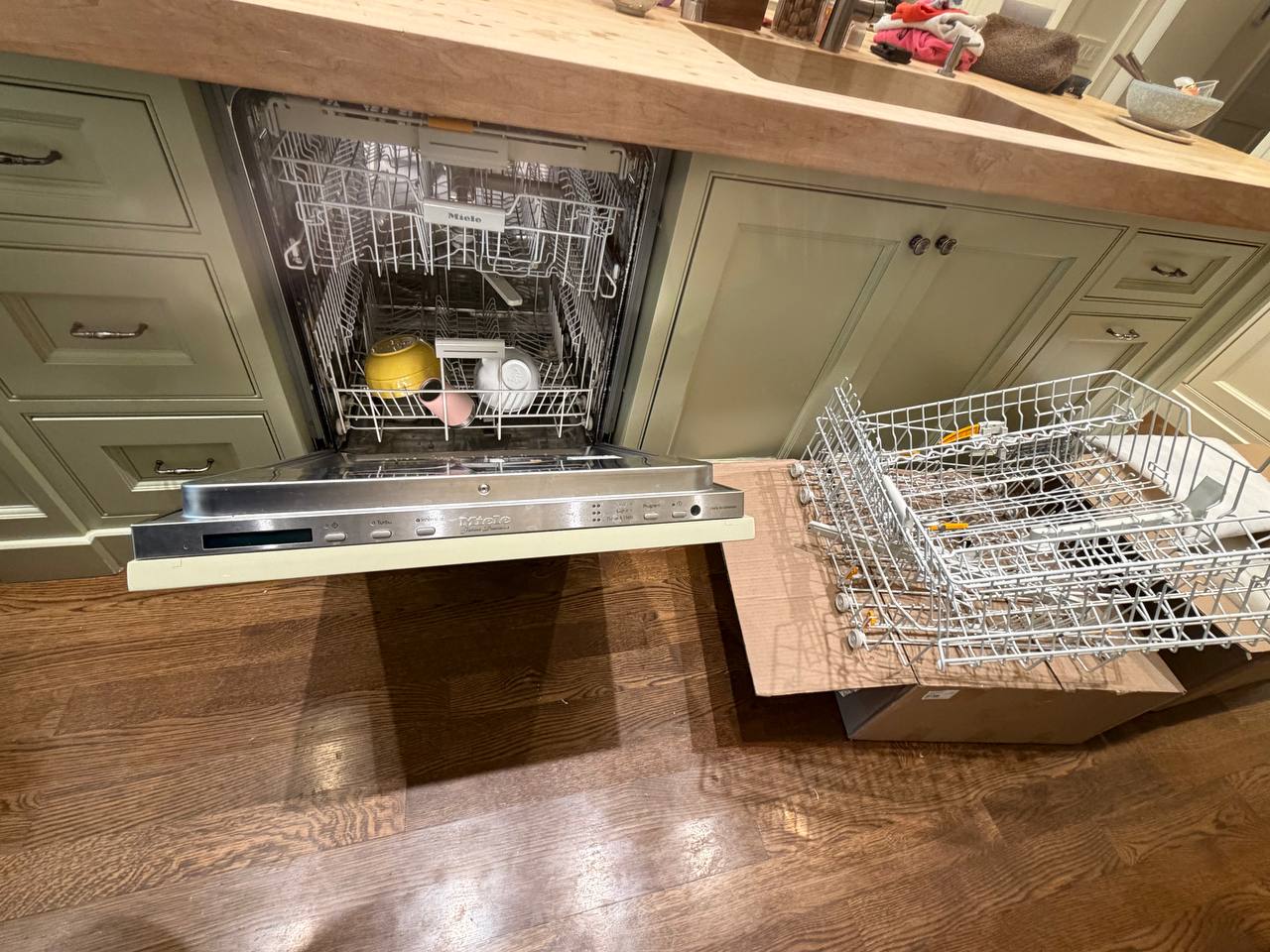
- Photograph dishwasher plumbing, toe-kick, cabinetry, floor, and drain route.
- Photograph cooking-product fuel or electrical configuration, ventilation, trim, anti-tip relationship, and surrounding cabinetry.
- Include elevator, floor protection, superintendent, and COI requirements.
GE Profile Symptom-to-Diagnosis Map
These rows describe inspection possibilities, not a parts diagnosis or a ranking of failure frequency. Display meanings apply only to the controls covered by the matching GE guide.
Refrigerator shows DE / dE.
Possible causes: Demo state versus defrost route, depending on capitalization, model, and accompanying behavior.
What we verify: Preserve the literal display and actual temperatures before any model-specific control action.
Refrigerator shows 0F 0F / dE no.
Possible causes: Showroom or Demo Mode on covered controls; returning mode entry, control state, or cooling route if it will not remain normal.
What we verify: Apply only the exact model procedure and verify temperature recovery rather than display change alone.
Ice production stops, or ice remains in the bin but will not dispense.
Possible causes: For no production, the ice-maker setting, temperature, water/filter path or incomplete ice-making cycle; with ice already present, door closure, frozen or clumped ice, the dispensing path or drive response.
What we verify: Match the model and compare GE's no-production route with its no-dispensing route. Record visible bin contents, normal ice-maker setting, measured freezer temperature and any changed filter or water supply. Do not force a stuck bin or reach into the mechanism. Verify filling, freezing and release separately from dispenser operation and food-compartment cooling.
Dishwasher shows FTD / F56.
Possible causes: Drain path, filter or sump condition, hose or building drain, pump response, sensing, wiring, or control.
What we verify: Establish water level and drain sound, then separate owner-accessible and building paths from internal response.
Dishwasher shows LEAK DETECTED / 999.
Possible causes: LEAK DETECTED reports a possible leak. 999 follows that route on models with Floor Protect with Alert; other models have a different control-reset meaning. Hidden moisture, installation or sensing still needs inspection.
What we verify: Stop use, preserve visible and hidden-water evidence, and match the exact model before moving the appliance.
Dishwasher shows H2O.
Possible causes: Fill condition, household supply, hose, inlet response, sensing, or control.
What we verify: Confirm building supply and cycle stage without opening powered or built-in areas.
Oven shows F2 / F20.
Possible causes: Overtemperature route on covered controls, sensing, wiring, control, or continuing heat.
What we verify: Stop use, record set point and actual behavior, and do not assume one part from the code.
Oven shows LOC / OFF.
Possible causes: LOC is Child Lockout on covered controls. OFF can appear when the cavity is too hot to start self-clean, or has not cooled sufficiently after it. Continued lock or heat-control trouble requires diagnosis.
What we verify: Record the requested mode and self-clean history, follow the exact owner controls, and never force the door or run another hot cycle to clear it.
Microwave shows 888 / 8888 / PF.
Possible causes: Restored-power display on covered models; supply or control issue if operation remains abnormal.
What we verify: Preserve power-event timing and stop for arcing, odor, smoke, or breaker activity.
UltraFast displays CONFIRM / DISMISS.
Possible causes: UltraFresh Ventless prompt after Wash Only, once clothes have been removed and the door closed; not a drying-failure code by itself.
What we verify: Identify the completed Wash Only cycle and selected prompt action; inspect a separate continuing water or drying complaint on its own evidence.
Refrigerator shows tC / tF and the owner reads it as a fault.
Possible causes: TurboCool or TurboFreeze feature status on covered controls; continuing temperature loss, control nonresponse, or cooling problem if the selected function does not produce recovery.
What we verify: Preserve the literal characters and actual compartment temperatures, confirm the selected feature through the exact manual, and judge recovery by measured temperature rather than by clearing the display.
Refrigerator compartment warms while the freezer remains cold.
Possible causes: Door or loading condition, airflow distribution, frost, fan or damper response, temperature feedback, control, ventilation, or a model-specific cooling-system route.
What we verify: Measure both compartments at multiple locations, preserve door and power history, inspect accessible airflow and installation ventilation, and verify the physical cooling split before internal diagnosis.
Dishwasher shows 1H and does not start immediately.
Possible causes: Delay Start status on covered controls; control-selection or response problem only if the exact model cannot cancel or complete the scheduled start.
What we verify: Confirm the delay through ordinary controls, preserve any separate code or leak condition, and verify whether the dishwasher begins at the selected time.
UltraFast completes Wash and Dry but the load remains damp or unusually cool.
Possible causes: Load type or size, selected cycle, filter or lint path, airflow and heat-pump process, room or installation condition, moisture sensing, condensate handling, software state, or control.
What we verify: Match the exact UltraFast platform, record load and cycle, inspect owner-accessible filters, compare elapsed time and final moisture, and separate a ventless heat-pump result from a conventional vented-dryer expectation.
Conventional GE Profile dryer tumbles but does not heat.
Possible causes: Cycle or temperature selection, electric supply leg or gas ignition path, airflow and thermal protection, heating system, sensor feedback, wiring, or control.
What we verify: Identify gas versus electric and vented versus ventless platform, reproduce cold-start heat development, compare airflow, and keep live electrical and gas testing within qualified scope.
Washer or UltraFast leaves water or will not reach full spin.
Possible causes: Load balance, foam, owner-accessible filter where the exact manual permits it, drain hose or standpipe, pump response, water-level feedback, door lock, or control.
What we verify: Preserve product type, water level, load, detergent, drain sound, and failed transition; inspect the accessible building drain route before internal testing.
What to Send Before the Visit
- Readable model and serial label with any QR-linked product information; identify UltraFast versus conventional laundry and vented versus ventless form.
- Complete display with capitalization, spaces, leading zeros and icons; note whether it followed power restoration, mode selection or a cycle.
- Failed function and timing, with actual temperatures, standing water, leakage, moisture, heat, airflow or door behavior as relevant.
- A short symptom video and a separate SmartHQ screenshot if the app wording differs from the panel.
- Wide installation photos, exact address, utility access, cabinetry/trim and service clearance. Send elevator, floor-protection and building requirements without moving a connected appliance.
An unreadable identity, uncertain platform, active hazard or a need to move built-in equipment requires clarification before dispatch.
How to Read the Display: Fault Code, Status, or Appliance ID?
- Fault-like format: Covered guides include dishwasher FTD / F56, LEAK DETECTED / 999, oven F2 / F20, and model-specific H2O; none identifies one failed part.
- Status or operating message: Refrigerator DE / dE changes route with capitalization; tC / tF refers to TurboCool/TurboFreeze and 0F 0F / dE no to Demo/Showroom on covered controls. Dishwasher 1H is delay; microwave 888 / 8888 / PF can follow restored power. Oven LOC / OFF and UltraFast CONFIRM / DISMISS require the operating context described above.
- Appliance ID: QR code / Model / Serial selects the correct product platform and guide. A QR result is not a fault.
- Service-mode or internal value: service-mode values are not automatic owner-facing errors. Do not enter diagnostics, change personality settings, or run component tests.
- What to photograph: Capture complete display and capitalization, all icons, product identity, appliance and platform, cycle or mode, physical result, timing, and installation.
The official refrigerator, dishwasher, oven and UltraFresh prompt guides keep those meanings attached to the correct control family.
Safe Checks Before Requesting Service
- Confirm ordinary mode, delay, set point, cycle, control lock, and confirmation message using the exact model guide.
- Photograph the full display before acknowledgement, reset, or mode change.
- Measure refrigerator temperature and record water, moisture, airflow, heat, and cycle completion.
- Inspect only manual-approved filters and visible connections when the appliance is off and safe.
- Preserve ventless versus vented laundry identity before evaluating drying.
- Do not apply pressure to locked doors, open panels, move built-ins, enter service mode, or cycle breakers repeatedly.
Mistakes That Can Make the Problem Worse
Transcribing DE as dE.
Why it causes problems: Capitalization can separate Demo Mode from a defrost route on covered refrigerators.
Safer next step: Photograph the display and measure temperature before control changes.
Connecting an UltraFast Combo to an exterior vent assumption.
Why it causes problems: The covered product is a ventless heat-pump platform, so conventional dryer logic can misroute the problem.
Safer next step: Record exact model, load, cycle, filters, and residual moisture.
Resetting a leak warning or assuming every 999 has the same meaning.
Why it causes problems: Floor Protect models can detect hidden water, while other controls use 999 differently; a generic reset misses that distinction.
Safer next step: Stop use, preserve evidence, and leave hidden access to service.
Treating F2 / F20 as a parts order.
Why it causes problems: The overtemperature route can involve sensing, wiring, control, or real continued heat.
Safer next step: Stop use and record set point, timing, display, and whether heat continues.
Sharing only a QR scan result.
Why it causes problems: The scan may route support or encode identity but can omit readable model, serial, platform, and symptom evidence.
Safer next step: Send the readable label privately with full appliance and display photos.
Where the Homeowner-Safe Limit Ends
- Homeowner-safe: Use normal controls; confirm mode, delay, set point, cycle, filters, and product platform; record display, actual temperature, standing water, moisture, airflow, identity, and installation.
- Technician or utility boundary: Stop at hidden leakage, forced locks, energized panels, internal refrigeration or induction systems, gas components, microwave high-voltage areas, built-in movement, repeated breaker trips, and service modes.
Stop-Use and Food-Safety Conditions
- Stop for gas odor, delayed ignition, leakage near power, smoke, sparks, burning smell, microwave arcing, uncontrolled heat, or repeated breaker trips.
- Active leakage from a washer, UltraFast Combo, refrigerator or dishwasher requires stopping use even if no code appears. Do not start another cycle or keep dispensing water to test it. Close the appliance's water valve only if safely accessible; GE provides separate washer and dishwasher shutoff guidance. For a leaking refrigerator ice maker, turn the ice maker off through its normal controls before shutting off its water, if safe. Do not pull the appliance or disconnect plumbing.
- Never touch wet electrical equipment or operate it while standing in water. Follow the Ready.gov electrical-water boundary: isolate power only if safe; otherwise stay clear and get qualified help. The exact appliance instructions govern any protective-drain behavior.
- Stop using cracked or pitted glass cooking surfaces, including induction, radiant and gas-on-glass products. GE's cracked-glass guidance also says to leave a range's oven unused until its cooktop is fixed because oven heat vents onto the cooktop. Do not test an unaffected cooking zone while waiting for repair.
- If gas release is suspected, leave without operating switches or flames and call 911 or the serving utility from safety; follow gas-leak guidance.
- Protect refrigerated food by measured temperature and elapsed time after no-cool, Demo Mode, or power events.
- Follow FoodSafety.gov guidance; a cleared display is not food-safety proof.
- Do not force an oven or washer door, pull a built-in product, or open microwave, induction, or refrigeration assemblies.
Service Boundaries
- Volt & Vector provides independent GE Profile appliance repair without GE Appliances affiliation, endorsement or authorization, not GE warranty administration, product registration, branch-circuit work, gas-line alteration, building-duct cleaning, plumbing reconstruction, cabinetry modification, appliance installation, or relocation.
- Concealed utilities, structural access, refrigerant systems, and microwave high-voltage assemblies remain separate or technician-only scopes.
- Submit unusual, connected, or unlisted products with complete identity and installation photos before dispatch.
Request GE Profile Appliance Repair
Call +1 (332) 333-1709 to discuss a GE Profile repair request, or send a written request with the product identity, failed function, installation description and exact address. Keep photos ready and agree how to share them during review. Model, access and route availability are checked before an appointment is confirmed.
Call with the GE Profile model, failed function and address, or send a written Contact request. Keep display and access photos ready; agree how to share them during model and visit review.