Liebherr refrigeration decisions depend on temperature history and exact product identity. A two-dash freezer display after startup, nA after an outage, long operation during SuperCool, DemoMode with working lights, and an F-family malfunction do not support the same conclusion. Record the display, measured temperature, time, mode, door and power history, and every identity value before interpretation.
Volt & Vector reviews independent Liebherr repair requests for Brooklyn, Manhattan below 96th Street, and selected Queens ZIP codes. Product scope, built-in access, route capacity, and timing are confirmed before a visit. Volt & Vector is not affiliated with, endorsed by, or authorized by Liebherr.
Quick Answers
What should I send before requesting Liebherr repair?
Answer: Send the complete Model / Service / Serial identity, product type, literal display, measured refrigerator, freezer, or wine temperature, power and door history, selected mode, and installation photos.
Does -- prove the freezer display failed?
Answer: No. On the covered control it can mean the freezer is above the numerical display range during startup or after warming.
Does nA prove food is unsafe?
Answer: It records a covered power and temperature-history event. Food decisions still require measured temperature and elapsed time.
Is long compressor operation always abnormal?
Answer: No. SuperCool / SuperFrost can extend operation on covered models while a load is rapidly cooled or frozen.
Do F0-F5 name a replacement part?
Answer: No. They identify a model-scoped malfunction family that needs identity and physical evidence.
When should Liebherr use stop?
Answer: Stop relying on the appliance for food protection when safe temperature cannot be confirmed, and stop electrical use for smoke, sparks, burning odor, or repeated interruption.
Liebherr Repair NYC at a Glance
- Service type: Independent residential Liebherr refrigerator, freezer, built-in column, and wine-cabinet diagnosis and repair.
- Coverage: Brooklyn appliance repair, Manhattan appliance repair below 96th Street, and selected Queens routes.
- Products: Freestanding and built-in refrigerators, freezers, combined units, column systems, and wine refrigerators, subject to exact identity and access review.
- Approach: Lock identity, actual temperatures, event history, display, mode, and installation before separating operating state from refrigeration failure.
- Before dispatch: Send evidence and access information through the booking request.
Choose the Liebherr Product That Matches the Problem
- Refrigerator or combined unit: Use refrigerator repair. Record each compartment separately and preserve power, door, frost, fan, and temperature history.
- Freezer or freezer column: Use freezer repair. Record --, nA, temperature alarm, actual food temperature, and recovery timing.
- Wine refrigerator: Use wine cooler repair. Record each zone, set point, measured temperature, door seal, fan or alarm behavior, and bottle-loading changes.
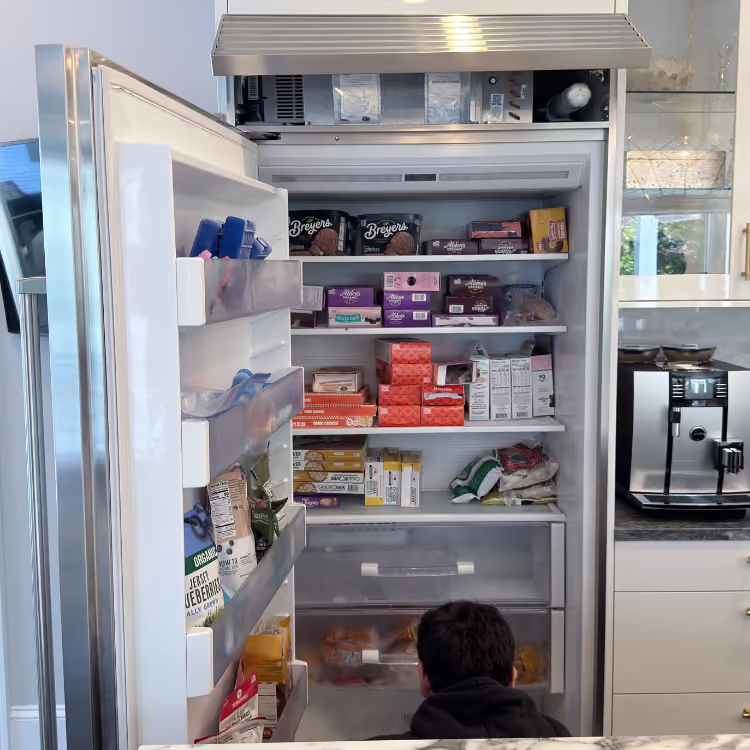
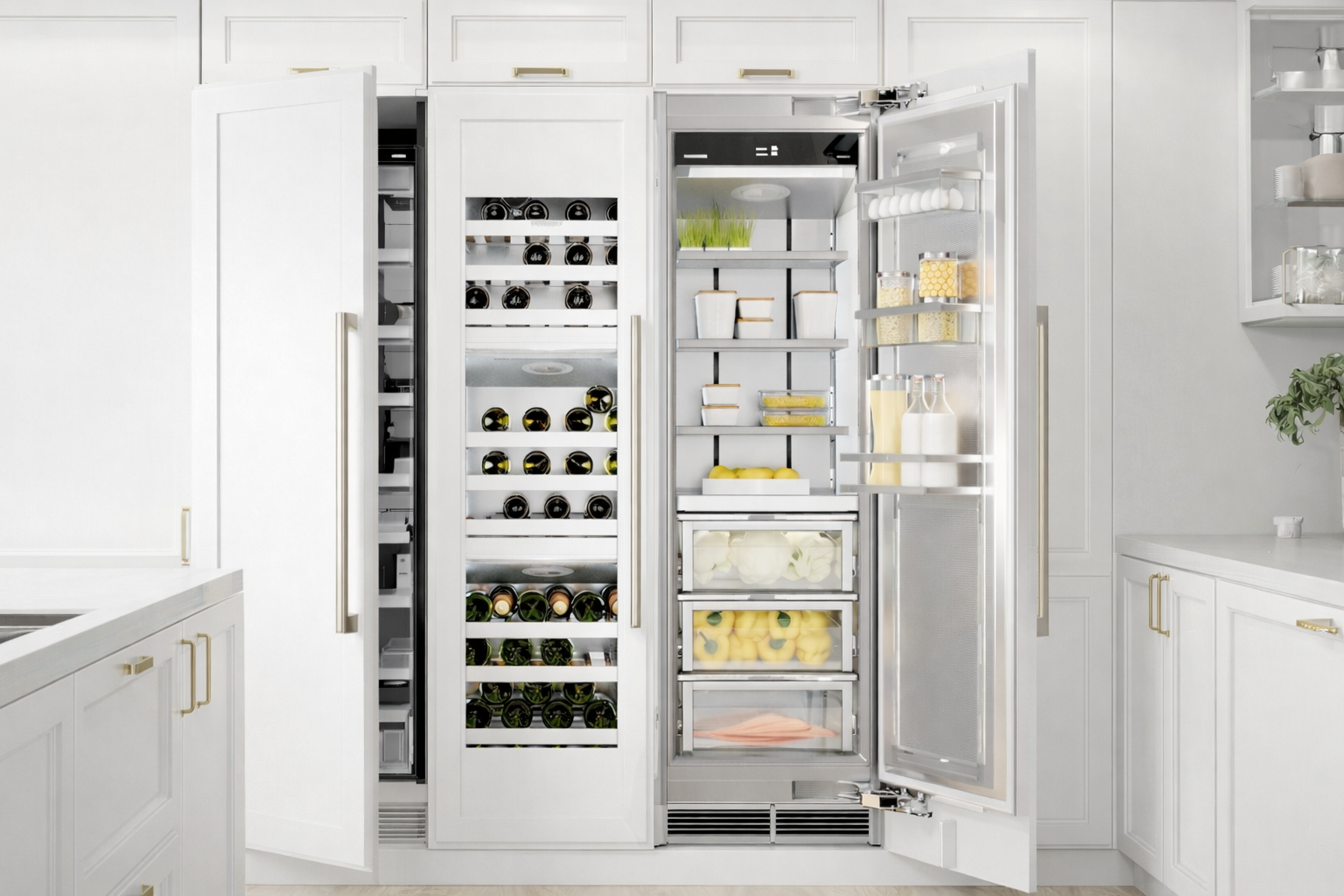
- Built-in pair or columns: Photograph both identity labels. A paired installation can contain separate appliances with separate service numbers and failure paths.
What the Liebherr Diagnostic Visit Needs to Resolve
- Separate an active cooling failure from DemoMode, model-scoped CleaningMode, rapid-cooling operation, temperature-history messages, door or airflow conditions, and actual compartment performance.
- Protect the evidence that matters for food and appliance decisions: Model, Service and Serial values, literal display, measured temperatures, elapsed time, power and door history, frost pattern, and differences between compartments.
- Determine the appliance, installation, or refrigeration cause class without promising a sealed-system or parts conclusion from one code. The customer receives the finding, access dependency, food-safety boundary, and estimate before approved repair work proceeds.
NYC Built-In Access Planning Before Liebherr Dispatch
Photograph the full cabinet elevation, toe-kick, panels, adjacent columns, floor transition, ventilation openings, door clearance, and every safely visible identity label. Record whether the unit is freestanding, integrated, panel-ready, paired, or installed as separate refrigerator and freezer columns. Include elevator, service entrance, superintendent, and COI requirements. Do not remove cabinetry, doors, panels, or pull a built-in merely to expose the rear or locate an internal diagnostic light.
Liebherr Symptom-to-Decision Map
Lights and display work while fresh-food and freezer temperatures continue to rise.
What this usually points to: Demo or cleaning state, external power history, door or airflow condition, fan or defrost path, sensing, control, or refrigeration-system response.
What we verify: Preserve measured temperature and elapsed time for each compartment, verify the literal operating state, and compare fan, frost, and cooling behavior before any sealed-system conclusion.
Freezer shows -- after startup or an outage.
What this usually points to: Temperature above the covered display range first; continuing no-cool, power, sensing, airflow, or refrigeration route if temperature does not recover.
What we verify: Preserve temperature and time instead of treating the dashes as a dead display.
Display shows nA.
What this usually points to: Power and temperature-history event on the covered family; supply or cooling issue if recovery remains abnormal.
What we verify: Record the event before acknowledgement and compare actual compartment temperatures.
Compressor runs for a long period with SuperCool / SuperFrost.
What this usually points to: Selected rapid-cooling mode and load first; door, ventilation, ambient, sensing, or refrigeration response if temperature does not stabilize.
What we verify: Match mode, load, run pattern, and temperature recovery.
Lights work and DemoMode active appears but cooling does not.
What this usually points to: Demonstration state first; returning control state or cooling fault if exact-model normal operation does not remain restored.
What we verify: Use the matching manual without entering technical menus and verify measured recovery.
CleaningMode appears while the compartment warms and the interior light remains on.
What this usually points to: Model-scoped cleaning state on the covered current platform, where the refrigerator section can be off and warnings suppressed; a separate control or cooling route if the mode does not end as documented or temperature fails to recover.
What we verify: Match Model, Service, and Serial to the exact guide, record mode start and end time, and verify measured recovery rather than treating the illuminated cabinet as proof of refrigeration.
Display shows F0-F5.
What this usually points to: Model-scoped malfunction family involving sensing, control, wiring, supply, or refrigeration response.
What we verify: Match complete identity and physical result before any internal diagnosis.
Refrigerator temperature rises while freezer performance remains different, or the reverse.
What this usually points to: Set points, doors, loading, airflow transfer, fan or damper behavior, defrost condition, sensing, separate evaporator path, control, or refrigeration response depending on the platform.
What we verify: Measure and trend both compartments, record frost and airflow observations, and lock the exact configuration before choosing a shared or compartment-specific route.
Wine zone is warm without a fault display.
What this usually points to: Set point, door seal, loading, ventilation, ambient condition, fan, sensing, or refrigeration response.
What we verify: Compare each zone's measured temperature, timing, loading change, and installation ventilation.
Frost, condensation, door alignment, or blocked airflow appears before a no-cool conclusion.
What this usually points to: Door closure, gasket contact, loading interference, warm-air entry, drainage, ventilation, defrost, fan, sensing, or installation alignment.
What we verify: Map where moisture or frost forms, verify door contact and owner-accessible airflow spaces, and correlate the pattern with temperature history instead of assuming a refrigerant problem.
A safely visible internal diagnostic LED flashes regularly.
What this usually points to: Normal electronic operating indication on the covered legacy platform first; a service value only when the exact manual and physical symptom establish that context.
What we verify: Record a video only if the light is already visible without opening panels, then match the model-specific documentation and actual cooling result.
The built-in appliance cannot be pulled safely or complete identity is unavailable.
What this usually points to: Access, panel, floor, paired-column, or label-location constraint that blocks model-specific routing; not a fault code and not permission to move the unit.
What we verify: Use safely visible Service and Serial values, purchase or installation records, and wide cabinet photos to plan protected access before any movement.
The Liebherr Temperature-History Lock
- Identity: Photograph every Model / Service / Serial label; paired columns may have separate identities.
- Temperature: Measure the affected refrigerator, freezer, or wine zone before acknowledging an alarm.
- History: Record outage, door-open event, startup, loading, cleaning, room heat, and when recovery began.
- Display and mode: Preserve nA, --, F0-F5, alarm icons, SuperCool / SuperFrost, or DemoMode active.
- Installation: Capture panels, toe-kick, ventilation, door swing, water routing, flooring, and service clearance without pulling the appliance.
- Recovery proof: A cleared display is not proof; stable measured temperature and normal cycling are the meaningful result.
How to Read the Display: Fault Code, Status, or Appliance ID?
- Fault-like format: The covered manual lists nA and F0-F5; nA preserves a power and temperature-history route, while F0-F5 remains a model-scoped malfunction family rather than a parts list.
- Status or operating message: --, SuperCool / SuperFrost, DemoMode active, and model-scoped CleaningMode can represent temperature range, rapid-cooling operation, demonstration state, or a temporary refrigerator-off cleaning state.
- Appliance ID: Model / Service / Serial selects the correct refrigerator, freezer, column, or wine-cabinet manual. These values are not faults.
- Service-mode or internal value: A diagnostic LED or other service-mode values can be internal information rather than an owner-facing code. Do not open rear or built-in access to view them.
- What to photograph: Capture the full display and icons, all identity values, actual temperature, affected compartment, selected mode, power and door timeline, and installation.
Use Liebherr's official operating-instructions search with the service or serial number. The covered DemoMode documentation shows why active lights and controls do not prove refrigeration is operating.
Safe Checks Before Requesting Service
- Measure and record actual compartment and food temperatures before clearing an alarm.
- Confirm ordinary set point, selected SuperCool or SuperFrost state, and DemoMode wording in the exact manual.
- Keep doors closed during recovery and note whether temperature falls over time.
- Photograph every identity label that is safely accessible inside the appliance.
- Inspect only manual-approved, owner-accessible door closure and ventilation openings.
- Do not remove built-in panels, pull columns, open refrigeration areas, or enter service menus.
Mistakes That Can Make the Problem Worse
Treating -- as a dead display.
Why it causes problems: On the covered family it can mean the freezer is still above the numerical display range, so temperature and recovery evidence are missed.
Safer next step: Measure temperature, preserve startup or outage timing, and keep the door closed.
Acknowledging nA before recording temperature.
Why it causes problems: The event can be cleared without proving cooling recovery or food safety.
Safer next step: Photograph the message and measure each affected compartment first.
Calling long operation during SuperCool a compressor failure.
Why it causes problems: Rapid-cooling modes can intentionally extend operation on covered models.
Safer next step: Record the mode, load, temperature trend, and whether operation normalizes.
Using an online DemoMode service-menu sequence from another Liebherr.
Why it causes problems: Control generations differ, and a wrong sequence can alter internal states or erase evidence.
Safer next step: Use only the exact identity's normal owner instructions.
Pulling a built-in column to look for a flashing internal light.
Why it causes problems: Cabinetry, water, electrical supply, flooring, and appliance weight create access risks; an internal LED is not an owner-facing parts verdict.
Safer next step: Send installation and identity photos and leave internal access to planned service.
Where the Homeowner-Safe Limit Ends
- Homeowner-safe: Use normal controls; measure temperature; record display, mode, power, door, load, and recovery history; photograph safely accessible identity and installation; inspect only manual-approved door and ventilation areas.
- Technician or utility boundary: Stop at internal refrigeration circuits, energized access, built-in movement, hidden fans or drains, control programming, repeated electrical interruption, or temperatures that do not recover.
Stop-Use and Food-Safety Conditions
- Protect refrigerated and frozen food when safe temperature cannot be confirmed after nA, --, DemoMode, or continuing no-cool.
- Use USDA power-outage food-safety guidance; a cleared alarm does not establish food safety.
- Stop electrical use for smoke, sparks, burning odor, hot plug or cord damage, or repeated breaker trips.
- Stop for active leakage or water near electrical areas.
- Do not use dry ice in a closed space without appropriate hazard guidance, and do not move a connected built-in appliance.
NYC Installation and Access Notes
- Photograph panels, toe-kick, upper and lower ventilation, door swing, adjacent cabinetry, floor, water routing, receptacle or breaker location, and safe service clearance.
- For side-by-side columns or paired units, photograph the identity of each appliance.
- Include elevator, service entrance, floor protection, superintendent, and COI requirements.
- Do not remove millwork or integrated panels before access requirements are reviewed.
How Liebherr Service Works
- Submit identity, product type, literal display, measured temperatures, history, safety state, address, and access photos through the booking page.
- Product scope, route, built-in access, and appointment timing are reviewed.
- The technician separates operating mode and event history from power, door, airflow, sensing, control, and refrigeration response.
- The cause class, access requirement, repair option, and estimate are explained before work proceeds.
- The original temperature, alarm, fan, or cooling function is retested.
What to Send for Faster Review
- Complete Liebherr Model / Service / Serial identity for every paired unit.
- Refrigerator, freezer, column, or wine-cabinet type.
- Literal display and all icons before acknowledgement.
- Measured temperatures, outage or door timeline, selected mode, and recovery trend.
- Wide installation photos, exact address, and building access requirements.
Service Boundaries
- Volt & Vector provides independent Liebherr appliance repair, not Liebherr warranty administration, product registration, cabinetry modification, branch-circuit work, plumbing reconstruction, appliance installation, or relocation.
- Refrigeration circuits, concealed water or electrical conditions, structural access, and built-in movement remain technician or separate-trade scopes.
- Submit unusual, commercial, or unlisted products with complete identity and installation photos before dispatch.
Request Liebherr Appliance Repair in NYC
Use the online booking request or call +1 (332) 333-1709. Include Liebherr identity, temperatures, display, history, installation photos, and address.


.jpeg)