What to Do When the Dryer Will Not Start
The starting sequence needs electrical power, permission from the controls and door sensing, an intact operating circuit and a drive that can turn.
- Controls light up, but nothing happens: select a drying program, remove any fabric caught in the door and close it normally. If a lock or delay indicator is on, cancel that feature using the labeled controls or the exact manual. Press or hold Start as that model requires; a quick tap may not start a hold-to-start model.
- The panel stays dark: try its normal Power or wake action. Check for a household outage and, only if safely accessible, look at the labeled dryer breaker and visible cord connection. Do not move stacked equipment, open a terminal cover or test the receptacle with a lamp, charger or adapter.
- It clicks or hums, but the drum remains still: release Start and stop further attempts. The motor circuit or mechanical drive needs inspection; holding the button longer is not a way to free it.
- A warning appears: read the complete message in the manual for that model. A door, water-container or filter message can require a permitted action before starting; it is not a universal failed-part code.
If the controls accept a cycle but the drum still will not move after the ordinary starting conditions are corrected, leave it unused for diagnosis. For burning odor, unusual heat, electrical damage, repeated breaker trips or gas odor, use the stop conditions below before any reset.
Why a Dryer Will Not Start
The point where starting stops changes what needs checking:
- Power cannot reach the controls: an outage, supply connection, internal power fault or interface problem can leave the panel dark. Some electronic controls simply need their normal wake action. If that does not restore a response, the supply and internal power must be distinguished.
- The control is withholding Start: Control Lock, a delayed start or finish, an unsuitable selector position or unrecognized door closure can prevent an immediate cycle. A visible lock or door message is more useful here than choosing a replacement board.
- A protective or drive circuit is open: an applicable thermal fuse, belt switch, start input or wiring fault can interrupt the motor circuit even while a display works. The wiring diagram determines which devices can prevent this particular dryer from starting.
- The drive cannot turn correctly: a mechanical obstruction, belt/drive problem, motor fault or missing drive output can leave a stationary drum with a click or hum. Internal inspection must separate electrical drive from mechanical resistance.
These observations locate the problem; they do not identify a failed component by themselves. On applicable conventional electric dryers, the motor can run while part of the heating supply is missing; a gas dryer can tumble without burner heat. If the drum turns normally but the laundry receives no heat, use the separate dryer no-heat guide.
A Program Can Be Selected Without a Cycle Having Started
A lit display may be showing settings, waiting for a delayed time or waiting for the required Start input. On applicable Whirlpool models, the selector must be on a drying cycle rather than the Wrinkle Shield option. Whirlpool's starting instructions also distinguish a light fingertip touch from a press-and-hold action. Moisture on touch controls or hands can interfere with a selection; dry them gently with a clean, dry cloth.
Use the duration printed on the panel or in the owner's manual. Do not borrow another brand's three-second unlock sequence. Samsung commonly labels a pair of Child Lock buttons, while Bosch WQB245B0UC instructions identify a control-panel lock and Finish in. A disabled temperature option can also be normal for the selected program.
If the machine acknowledges Start or counts down while the drum remains stationary, further button pressing adds no useful check. The start command and drive operation need to be evaluated separately.
Door Closure and Door Recognition Are Different
The strike and latch must meet normally, and the sensing circuit must report the closed position. Some dryers have more than one latch. A closing click is a mechanical sound, not an electrical test; a working drum light also does not verify every start-permission circuit.
Visible trapped fabric can be removed with the dryer stopped. Obvious broken latch parts, a door that will not stay closed or a persistent door message require a check of alignment, the switch or sensor, wiring and control recognition. Do not slam the door, bend the strike, hold the door in a special position or bypass its switch. After a move or work on stacked equipment, alignment is worth checking without assuming vibration caused the fault.
Supply, Cord and Terminal Connections
A gas dryer, a conventional electric dryer and a compact heat-pump dryer may have different electrical requirements. The nameplate and installation instructions determine the circuit. An ON breaker handle does not prove the correct voltage reaches the machine, and another working outlet nearby does not verify the dryer circuit.
A qualified electrician can distinguish a branch-circuit problem from the appliance supply connection. An appliance technician can then check the cord, terminal connections, internal wiring and power reaching the electronics. A loose or damaged connection may fail or overheat under load even when the controls sometimes light up. After installation or relocation, the correct cord arrangement and connections need confirmation, including any damaged contact points rather than merely tightening them until the dryer runs.
- Breaker position: if the panel is safely accessible, inspect only the labeled handle. A normal reset is appropriate only when the exact instructions permit it and there is no repeated trip, heat damage, burning odor or water exposure. If it trips again or will not remain set, leave it off.
- Access: do not reach behind a tight installation, touch a hot or damaged plug, remove a panel cover or open the dryer terminal enclosure.
- Apartment supply: obtain the equipment's installation requirements when building records are unclear. A correctly rated 208 V installation is not inherently defective; building age alone does not establish an electrical fault.
Built-in or stacked equipment may need planned access. Building management may need to coordinate access and any building-specific COI or service-entry rules; this does not justify moving the unit to expose the cord yourself.
Thermal Fuses Do Not All Interrupt the Same Circuit
A one-time thermal fuse stays open after operating; cooling it does not reset it. The exact circuit matters. Whirlpool's W11175222 service sheet, for example, puts the fuse in the drive-motor circuit on its electric and 27-inch gas designs, but in the gas-valve circuit on its 29-inch gas design. The same general part name can therefore produce no-start on one arrangement and a different symptom on another.
A dryer that runs again after cooling may involve a resettable motor protector, a temperature-sensitive connection or another intermittent condition. It is not evidence that a one-time fuse is becoming weak. Do not repeatedly heat and cool the machine to reproduce it.
Longer drying, unusual heat, an earlier shutdown or a previous fuse replacement helps establish the history. If a protective device is open, the original cause still needs checking, including the applicable exhaust and heat-control system. Replacing protection and restoring motion are separate from establishing safe operation. An absence of earlier warning does not rule out an open protective device.
Start Inputs, Motor and Mechanical Drive
A traditional push-to-start switch and an electronic touch interface use different arrangements. Diagnosis needs to establish whether the start command is actually recognized and whether the control has received the required permissions. A button that sometimes responds after several presses may have an input problem, but the dryer may instead be waiting for another condition. A changed button feel or sudden versus gradual onset is a clue to assess, rather than a switch test.
At the drive, service checks distinguish a motor that cannot develop rotation from excessive mechanical load or missing electrical output. Depending on the model, this includes the belt and idler assembly, a belt-related safety switch, motor windings and switching, connections and control output. Not all dryers have a belt switch or the same motor type; worn motor brushes are not a universal explanation.
These checks may require continuity tests, voltage-under-load measurements and signal tracing by qualified personnel using the actual circuit information. They are not homeowner tests. Do not push the drum while power is applied, defeat the door switch, reach into moving machinery or keep holding Start against a stalled hum. A silent failure can still be in the motor circuit.
Warnings, Restarts and Remote Starting
An error describes a detected condition and must be interpreted with the complete model identification. Whirlpool, Maytag and Kenmore labels do not define one fuse arrangement. Bosch needs the full E-Nr; Miele needs its exact model; LG, Samsung, GE, Electrolux and Frigidaire messages likewise need the matching instructions rather than a generic E-code list.
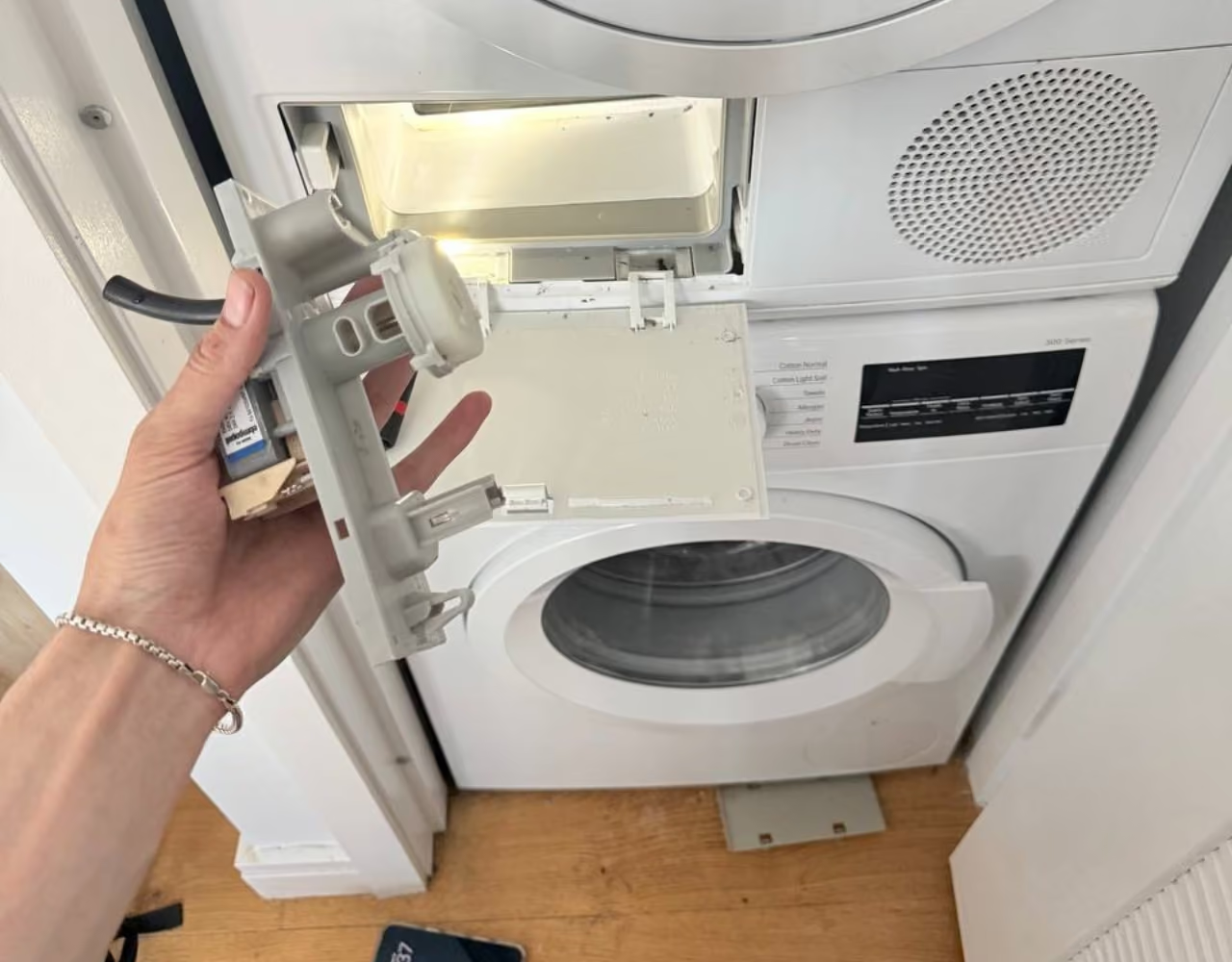
A ventless dryer may withhold operation or interrupt a program because of a water-container or maintenance condition. Use only the accessible action identified in its instructions. For example, applicable HybridCare machines require the lower filter correctly seated as well as the lint screen. Do not defeat filter recognition or copy a different manufacturer's cleaning method.
A software restart is a narrower possibility. The linked Bosch WQB245B0UC manual includes a restart for unresponsive controls. Follow such a procedure only for the applicable model and condition, after reading the message; a returning fault needs investigation. Recovery does not clear a damaged connection or recurrent trip. A board finding needs input and output tracing; brand, age or an onset after a power interruption does not establish a failed board or surge damage.
When local controls work but starting through the app does not, check the model's remote-start permission and connection instructions. That difference separates a remote-control issue from a machine that cannot start locally; it does not establish a dead motor or authorize repeated resets.
When to Leave the Dryer Unused
- Burning odor, unusual heat, crackling, damaged wiring or water near power: stop use and keep away from hot, damaged or wet electrical connections. Do not retry to see whether the symptom returns.
- Smoke, sparks or fire: leave the area and call 911. Do not remain to open or unplug the dryer.
- Gas odor or suspected leak: leave without touching switches, appliances or electronics, then call 911 or the gas emergency service from outside.
- Carbon-monoxide alarm: get everyone to fresh air and call 911. CO has no smell; absence of a gas odor does not make an alarm safe to ignore.
If starting is restored but drying remains slow, use the slow-drying guide. If the dryer starts but overheats, the overheating guide takes priority before further use.


.avif)



.avif)