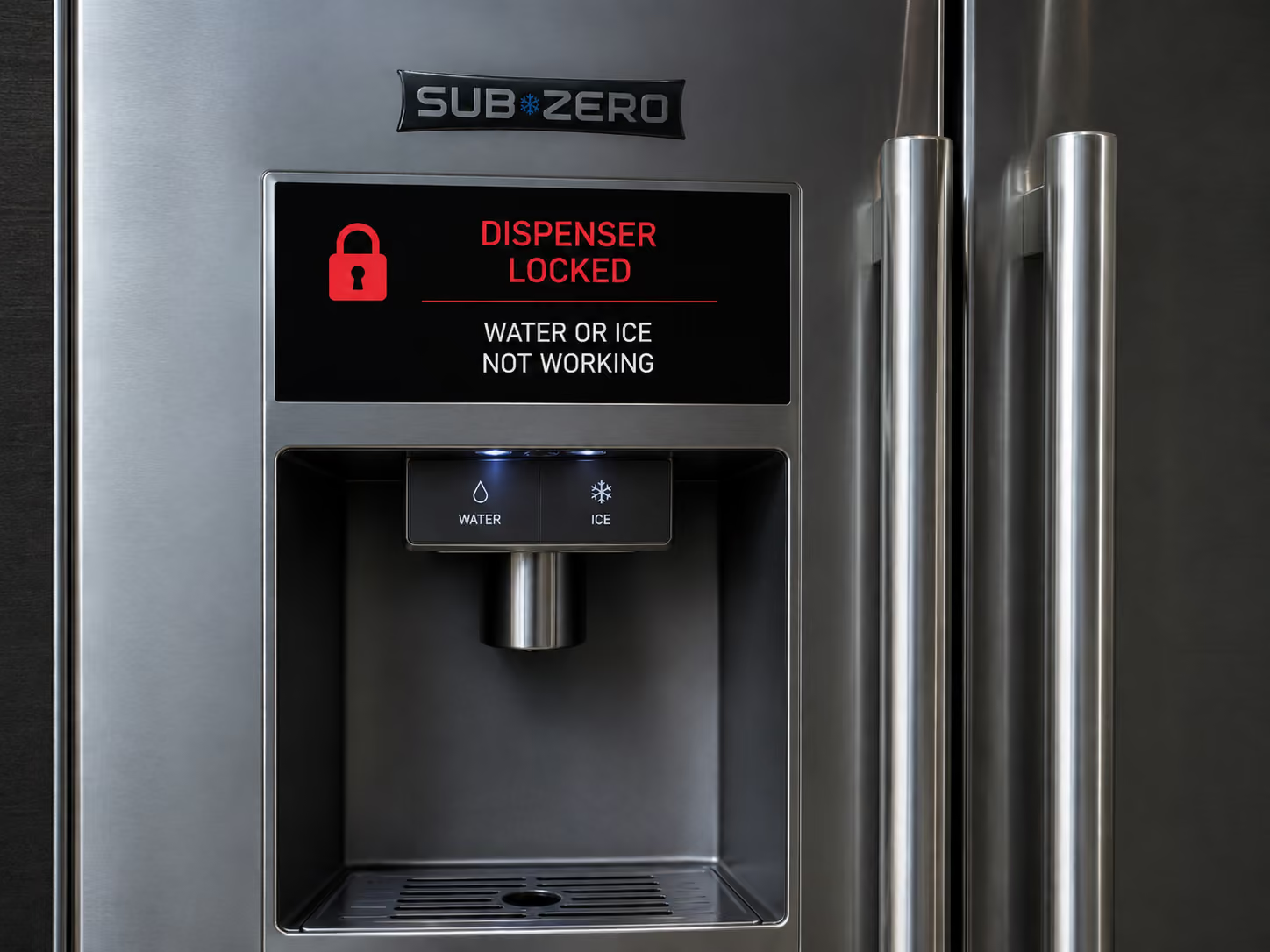


If a Sub-Zero dispenser is locked, water and ice can both be unavailable even though refrigeration is normal. Confirm the exact lock indication and series-specific unlock method first; if controls unlock but neither function returns, separate water supply/filter, door or dispenser permissions, ice availability, switches, wiring, and control output.
Most Common Reasons a Locked Sub-Zero Dispenser Has No Water or Ice
- Dispenser Lock is intentionally active: Customer dispenser inputs are ignored while refrigeration continues Look for the exact lock symbol or control response. A technician should prove lock state and input restoration.
- A water, ice, door, switch, actuator, wiring, or control fault remains after unlocking: The lock no longer explains the unavailable function Look for water-only, ice-only, or both-functions pattern after unlock. A technician should prove supply, permissions, switches, actuators, wiring, and output sequence.
A Sub-Zero dispenser that will not give water or ice may not have a water problem at all. On some dispenser models, the lock feature intentionally disables water and ice dispensing. Sub-Zero support for 685 and 695 dispenser lock operation states that pressing and holding the Light button for five seconds locks the dispenser, the key icon illuminates, and locking disables the water and ice dispensing features. The same support page says holding Light for five seconds unlocks it, and if it does not unlock, a 30-second breaker reset is the remaining customer step before service.
That makes the first split simple: is the dispenser locked, or is the dispenser unlocked but not dispensing? A key icon, red key, lock indicator, or all buttons inactive points toward lock state. No water but ice works points toward a water branch. Ice will not dispense but water works points toward an ice dispenser or auger branch. Neither water nor ice works with a lock indicator is a control-lock branch, not a valve or ice maker diagnosis.
Safe lock checks
- Look for a key icon, lock light, or lock message on the dispenser panel.
- If the model supports it, press and hold the Light button for five seconds to unlock.
- Wait and retest both water and ice after the indicator changes.
- If the lock does not clear, turn the home circuit breaker to the unit off for 30 seconds and back on one time.
- Do not repeatedly reset power if the dispenser remains locked.
- Do not remove the dispenser panel, pry buttons, or force the paddle.
- Photograph the indicator before and after the unlock attempt.
Sub-Zero dispenser designs vary by series and model. The 685/695 Light-button lock sequence should not be assumed for every Sub-Zero refrigerator. Some models have no dispenser lock feature. Some have different touch controls. Some service documents also describe dispenser behavior such as delayed dispense and touch-control conditions. That is why the model tag matters before applying instructions from another series.
What the lock does not prove
A locked dispenser does not prove the water valve failed, the ice maker failed, the filter is blocked, or the auger motor is bad. It proves the control may be intentionally preventing dispensing. If all dispenser buttons are inactive and the lock indicator is on, part replacement is premature. Unlock first, then re-evaluate.
A second false assumption is that water and ice failures always share a cause. They can, but they do not have to. A lock disables both by design. A frozen fill tube may affect ice. A filter or valve issue may affect water. A bucket, auger, chute, or paddle issue may affect ice dispensing. Control state is the least invasive branch and should be checked before water-system work.
How to narrow after unlocking
If the lock icon clears and both water and ice work, the immediate problem is solved. If water works but ice does not dispense, check whether the ice bucket is seated, whether the chute is jammed, and whether ice is clumped, but do not disassemble the dispenser. If ice dispenses but water does not, record whether the filter was changed, whether water pressure changed, and whether the refrigerator is making ice. If neither works after the lock clears, the dispenser control, door switch, water supply, or wiring branch may need service.
If the panel shows a message after long water-pad contact, document it. Some Sub-Zero dispenser service references describe an H2 LO style condition when the water key is touched continuously for several minutes, after which the dispenser may stop. That is not the same as an ordinary lock icon, and model verification is required before naming it. A photo is better than guessing the message.
Model variance
Sub-Zero 600 Series dispenser models, Built-In side-by-side units, Designer models, and international models do not all share identical control panels. A lock icon under the Light button is a strong clue on specific 685/695-style guidance. Another model may use a different lock method or no lock feature. The model and serial tag decide which official sequence applies.
Also note whether the refrigerator was recently cleaned, whether children pressed controls, whether there was a power outage, whether the water filter was changed, and whether the door display behaves normally. Cleaning can activate lock. Power events can change control states. Filter changes can create water-only complaints that look like dispenser failure.
When to stop
- Stop if the dispenser remains locked after the model-approved unlock and one 30-second breaker reset.
- Stop if water leaks from the dispenser, grille, filter area, or floor.
- Stop if buttons are stuck, cracked, or physically damaged.
- Stop if the dispenser activates by itself.
- Stop if the unit is built in and access requires panel removal.
- Stop if the refrigerator is also not cooling normally.
Evidence to save
Save a photo of the lock icon, the control panel, the model tag, and a short video of one unlock attempt. Record whether water, ice, lights, and other buttons respond separately. Note whether the failure started after cleaning, filter replacement, power outage, child lock use, or door service. If the breaker reset was tried, write down whether the lock returned immediately.
That evidence separates lock state, touch panel, water path, ice dispensing, door switch, and broader control issues. It prevents unnecessary valve or ice maker work when the dispenser is simply locked.
How to separate lock from dispenser failure
After the lock indicator clears, test water and ice separately. Use one short press for water, then one short press for ice. Do not hold the water key for several minutes. Some Sub-Zero dispenser documentation describes a condition where extended water-key contact can stop dispenser operation. If water works but ice does not, the lock branch is finished and the ice bucket, auger, chute, or ice production branch begins. If ice works but water does not, the water path or filter branch begins.
If neither works after the lock clears, record whether the dispenser light works, whether the paddle clicks, whether the display changes, and whether the door switch seems to recognize the door state. These are service clues, not homeowner repair steps. The panel should not be pried open. A built-in dispenser assembly can be damaged by forcing buttons or paddles.
If the lock keeps returning, note when: immediately after unlock, after door close, after cleaning, after child use, or after power loss. A recurring lock state is a different clue from one accidental lock activation.
When water or ice evidence changes the branch
If the dispenser unlocks and water still does not flow, listen for whether the valve hums or the dispenser makes any sound. Do not remove panels; just record the response. If ice does not dispense, check whether the bin has ice, whether cubes are clumped, and whether the bucket was recently removed. If both water and ice fail only with the door open, the door switch or control state may be involved. If both fail with the door closed and the lock off, service has a stronger electrical or dispenser-control branch.
If the water filter was changed right before the issue, note the filter model and whether water ever flowed after the change. If the dispenser was cleaned, note whether the lock was intentionally turned on to clean the panel. If the panel is wet, dry it gently and wait before repeating the lock test. Touch controls can respond poorly when wet.
Do not hold the paddle continuously to “prime” the dispenser. Long continuous contact can create separate dispenser faults on some models. Use short tests and record the response.
Why model-specific lock instructions matter
Sub-Zero dispenser controls are not identical across the product line. The Light-button hold sequence is official for specific dispenser models, but another unit may use a different lock method or no lock feature at all. Applying the wrong sequence can waste time or change settings without unlocking anything. The model tag, control layout, and indicator photo decide which official path applies.
A locked dispenser is also different from a dispenser with no water supply. If the lock icon is on, prove lock state first. If the lock icon is off and the water paddle does nothing, then water, filter, door switch, control, or valve branches become more relevant. If the ice paddle works but water does not, do not call it a full dispenser lock. If the light works but both paddles fail, control or switch evidence becomes stronger.
Homeowners often change filters, clean panels, or press buttons while wiping the door. That history matters. A failure right after cleaning can be an accidental lock. A failure right after filter replacement may be water-path related. A failure after a power event may be a control reset issue. Those timelines should stay separate.
What to report before service
Report the exact indicator and control behavior. “Red key lit and Light hold did not unlock” is better than “dispenser broken.” Say whether water, ice, light, and other dispenser keys respond separately. Mention whether the failure followed cleaning or filter replacement. If the breaker reset was tried once, report whether the panel changed, whether the lock returned, and whether the refrigerator cooling remained normal.
If the unit is panel-ready or built into cabinetry, add access information. Dispenser service may involve door or control components, and forcing the panel can damage trim. The best homeowner contribution is a clear photo of the panel and the model tag, not a pried-open dispenser.
If the symptom changes
If ice production was intentionally changed, use Sub-Zero ice maker Off or Max Ice. If lights, dispenser, and ice behavior changed together, use Sub-Zero Sabbath mode.
Common homeowner questions
What does the key icon mean?
On supported models, it indicates the dispenser is locked and water/ice dispensing is disabled.
Should I replace the filter first?
Not if the lock icon is active. Clear the control-lock branch before moving to water-flow checks.
Can I pry the paddle or panel?
No. Forcing dispenser parts can create a repair that was not there before.
What if the dispenser will not unlock?
After the model-approved unlock attempt and one breaker reset, stop and schedule service. No further owner troubleshooting is recommended by the official lock guidance for that scenario.
FAQ
Does a dispenser lock shut off the whole refrigerator?
No. It normally affects customer dispenser controls, while refrigeration continues; exact affected features vary by series.
What if water works after unlocking but ice does not?
That proves the lock was not the only issue and moves diagnosis to ice availability, chute, door/bin state, actuator, switch, or ice-maker system.
.jpeg)